18
You can also unbind it by the following:
1. On the My BLUETTI page, select the EP600 you want to unbind.
a.For an Android phone, long press on the name.
b.For an iOS phone, swipe left the name.
2. Tap Unbind and Tap OK in the Unbind this device? pop-up.
0
Inverter No.
Description
The Multi-inverter Mode is off.
The EP600 is used as the host machine.
The EP600 is used as a slave machine.
1
2
Inverter No. : To identify the master and slave machines in parallel mode.
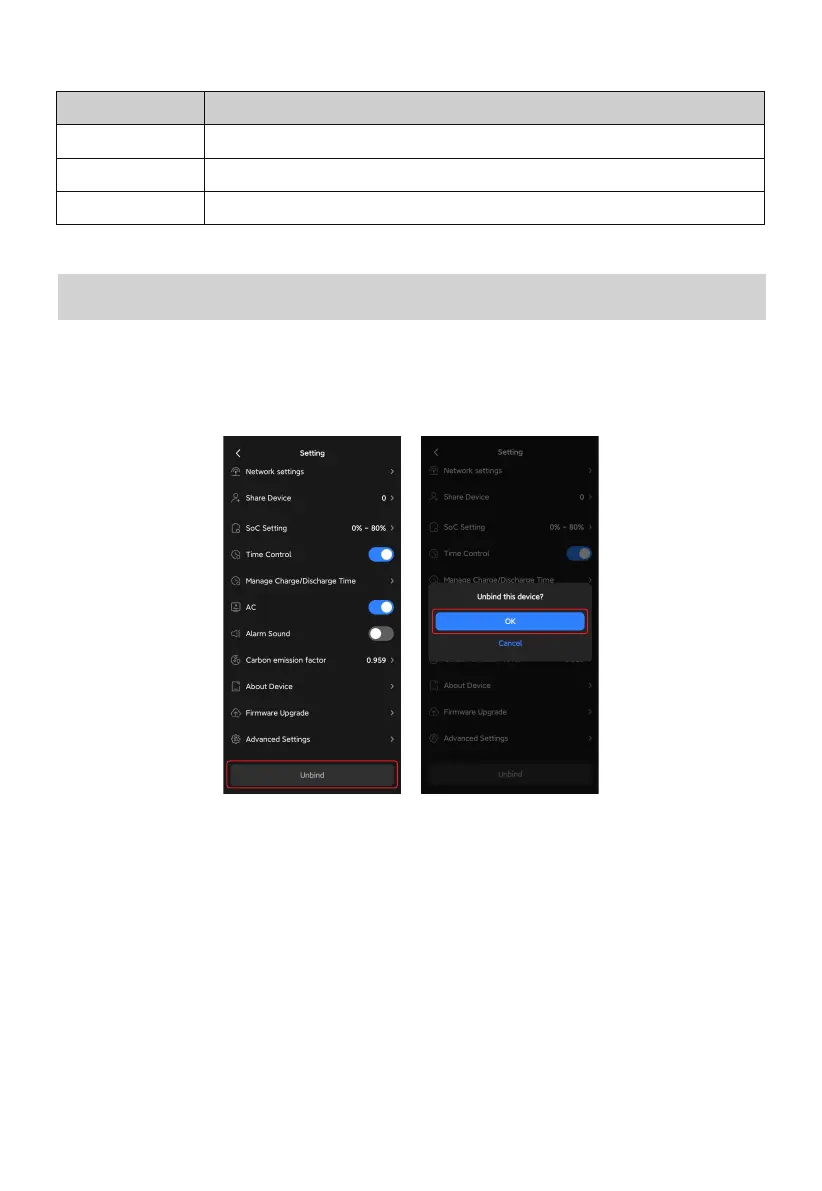
If you connect to the EP600 ESS via Bluetooth:
1. Tap Unbind in the Settings menu.
2. Select OK in the Unbind this device? pop-up.
Unbind Device



 To Next Page