Customer Service
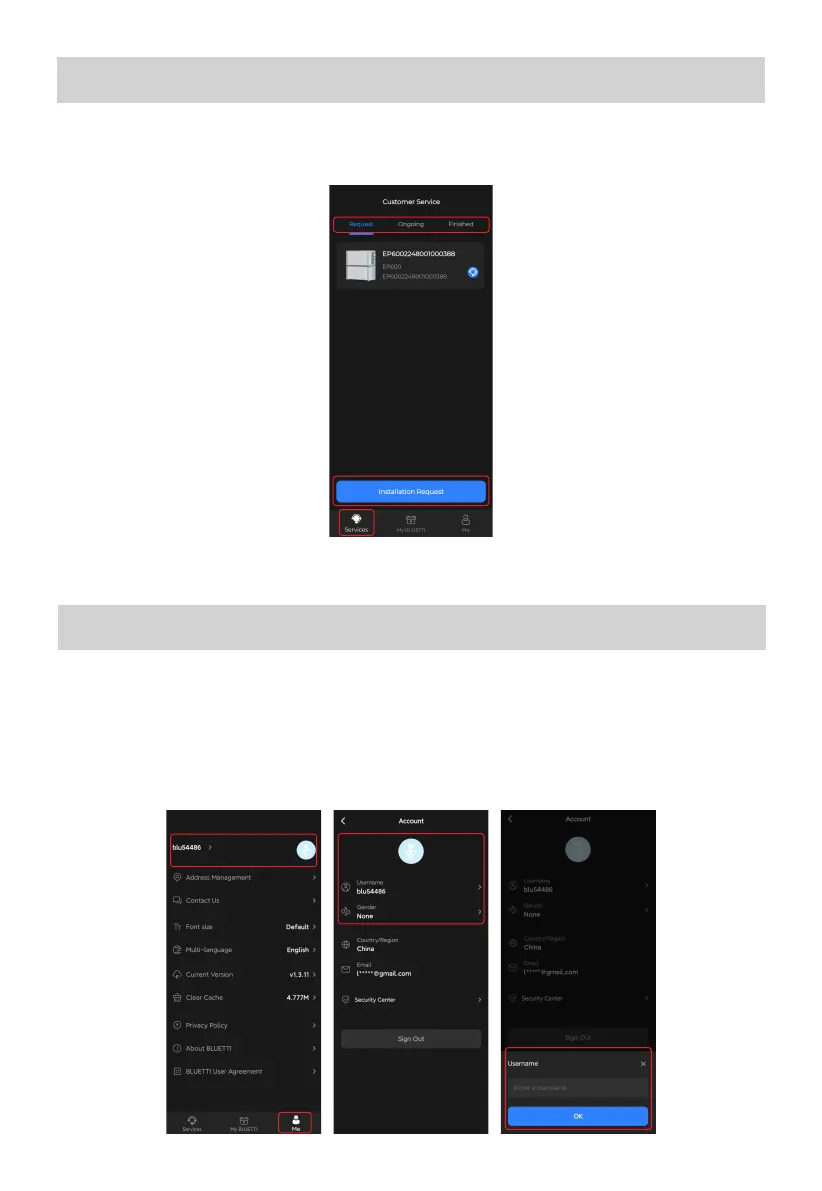
On the Services page, tap your product and submit the relavant service requests (e.g.
Installation for EP600 ESS). You can also check the Ongoing and Finished requests.
20
Account Security
Modify Avatar & Username
1. On the Me page, tap on your avatar or name and you'll be taken to the Account page.
2. Tap on your avatar and you're required to take a photo or select an existing photo from
your album. Simply choose the way you like it. As for the name, tap on the Username and
edit a new one. Tap OK to save the changes.



 To Next Page