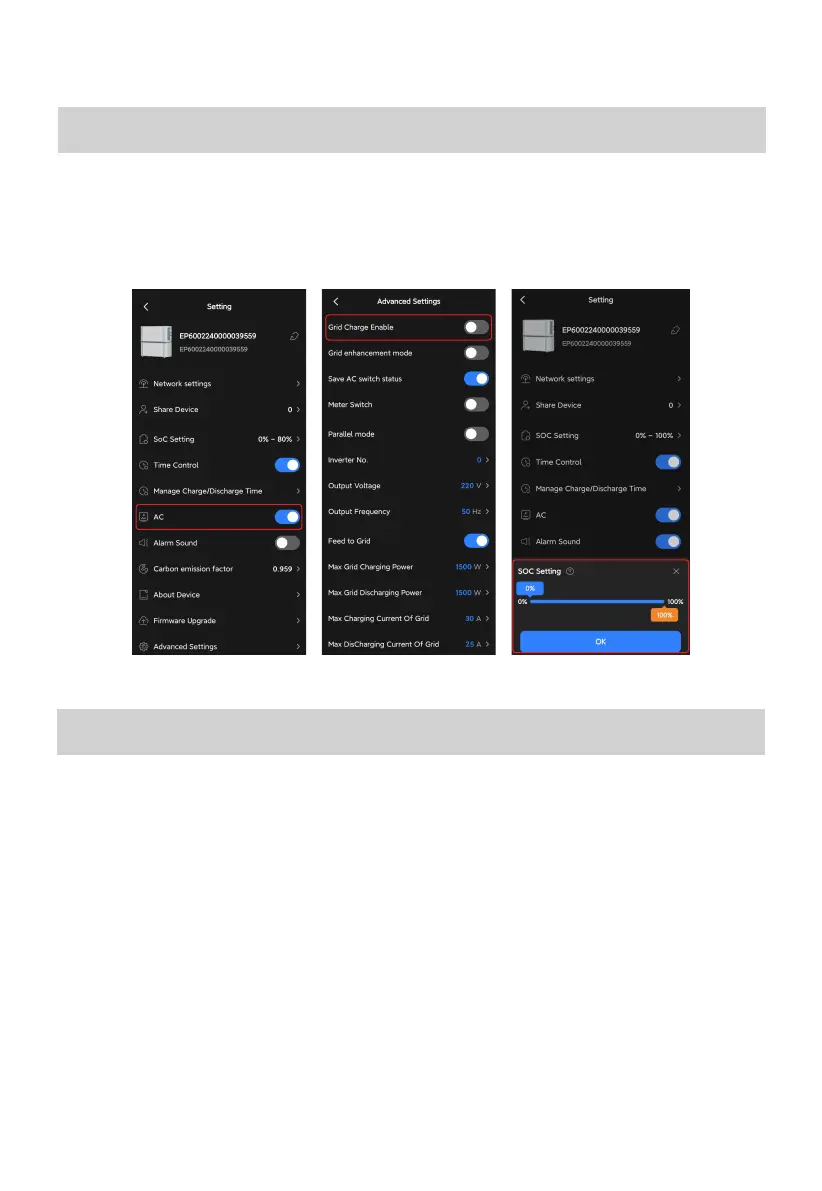
Prioritize PV Charging
Practices
Switch on the PV switch of EP600 inverter and check for a successful solar input. Turn on the AC
on the Setting page to enable the system to utilize solar energy whenever sunlight is available.
Charge via Grid
Turn on the Grid Charge Enable on the Advanced Settings page. If you want to set a time
period for grid charging, please follow the below:
1.Turn on the Time Control on the Settings page.
2.Tap Manage Charge/Discharge Time. Select OK in the Attention pop-up.
3.Specify a period, and set it as a Charge period.
Additionally, you can reduce your grid reliance by either disabling the Grid Charge Enable on
the Advanced Settings page or setting a lower SoC High value.
22



 To Next Page