Binding
Using the App
Note: Before binding, make sure your EP600 ESS is powered on with Bluetooth enabled (if
necessary).
•
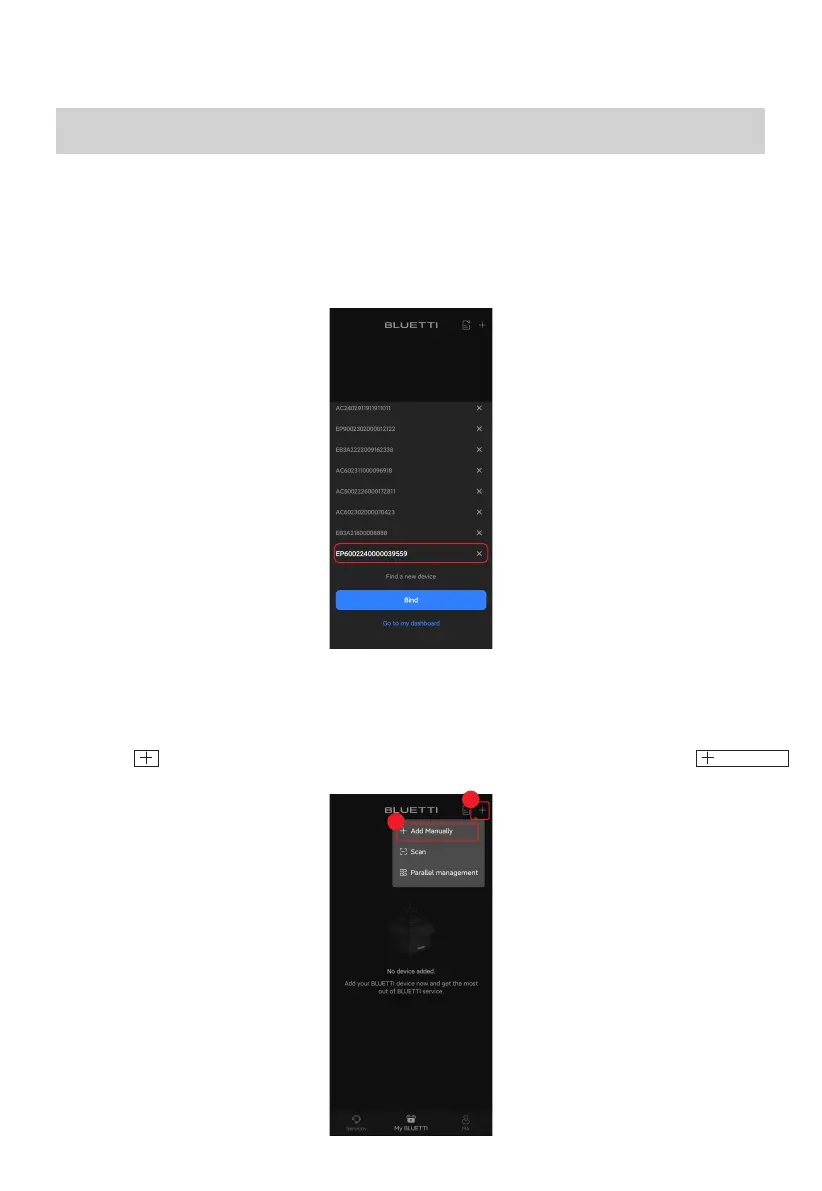
When you log in and access the My BLUETTI page for the first time, the app will
automatically scan for nearby Bluetooth devices. Select your EP600 ESS from the pop-up list.
You may also opt to bind it via Bluetooth, SN, or QR code.
•
Bluetooth
1. Tap the icon in the upper right corner of My BLUETTI page, and then select
from the menu.
Add Manually
6
1
2



 To Next Page