Introduction
The BLUETTI application allows you to monitor and control the EP600 energy storage system
(ESS) via Bluetooth or WiFi, with features like Device Control, Real-time Data Collection, Alarm,
Firmware Upgrade, etc.
Download the App
Scan the QR code below to download the BLUETTI App, or search for "BLUETTI" in the App
Store or Google Play.
Supported operating systems: Android 8.0 or above, iOS 11.0 or above.
Getting Started
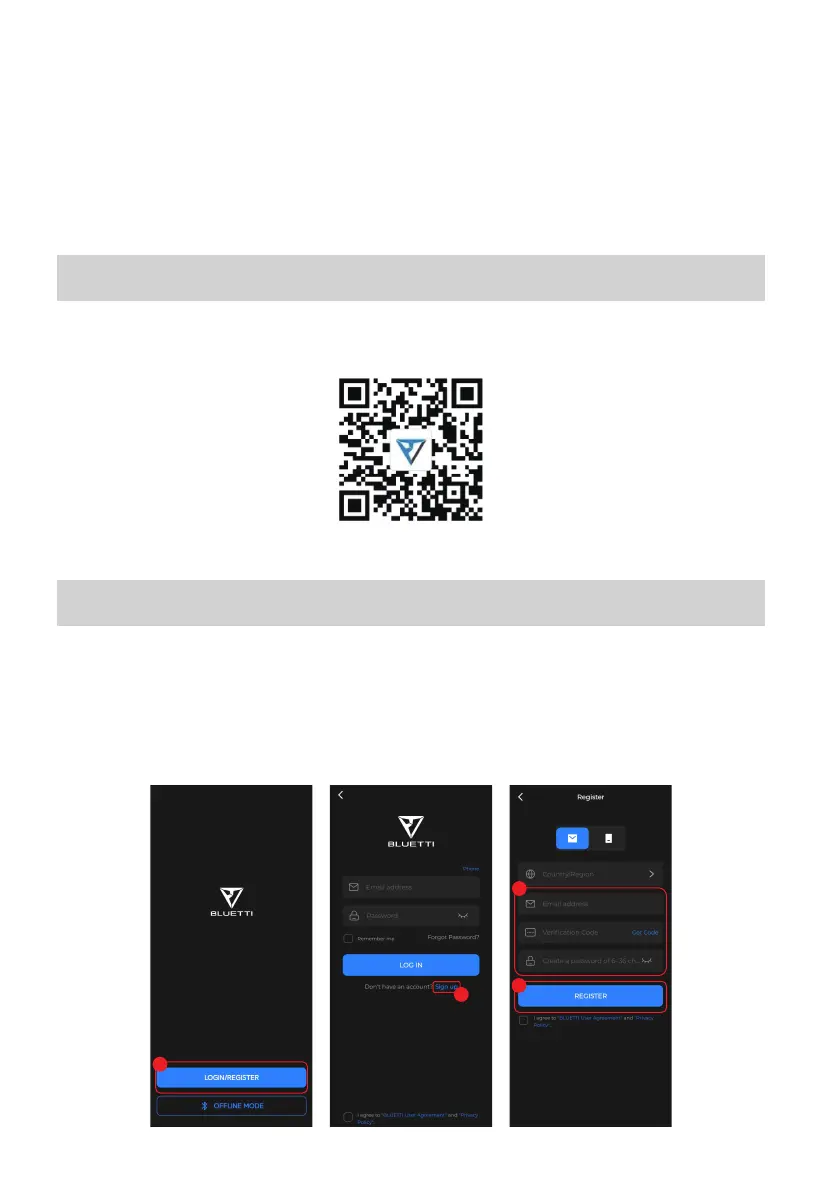
Sign up
1. Open the app and tap LOGIN/REGISTER.
2. Tap Sign up and enter your email address.
3. Enter the verification code and tick the checkbox.
4. Tap REGISTER to create your BLUETTI account.
1
4
3
2
3



 To Next Page