7
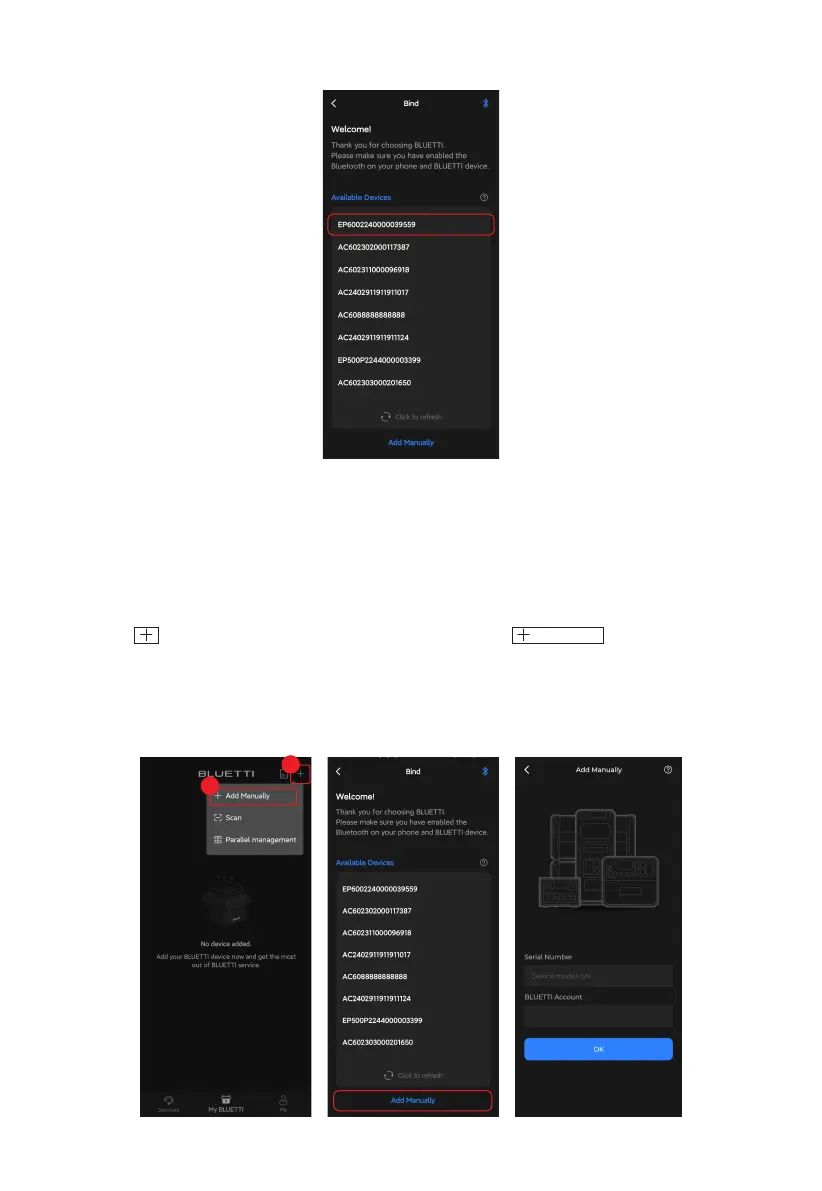
2. On the Bind page, select your EP600 ESS from the Available Devices list.
Note: Make sure you've enabled Bluetooth and location service (e.g. GPS) on your phone.
If you can't find your EP600 ESS, get closer and Tap to refresh the list (recommended
range: 5m).
• SN
1.Tap the icon on My BLUETTI page, and then select from the menu.
2.At the bottom of the Bind page, tap Add Manually.
3.Enter the device SN and your account in the pop-up, then tap OK to complete the
binding.
Add Manually
1
2



 To Next Page