3.4.2 Mount the Microinverter
Please refer to Step 1 in Section 3.4.1 of the A80P Microinverter User Manual for details.
3.4.3 Connect the Microinverter
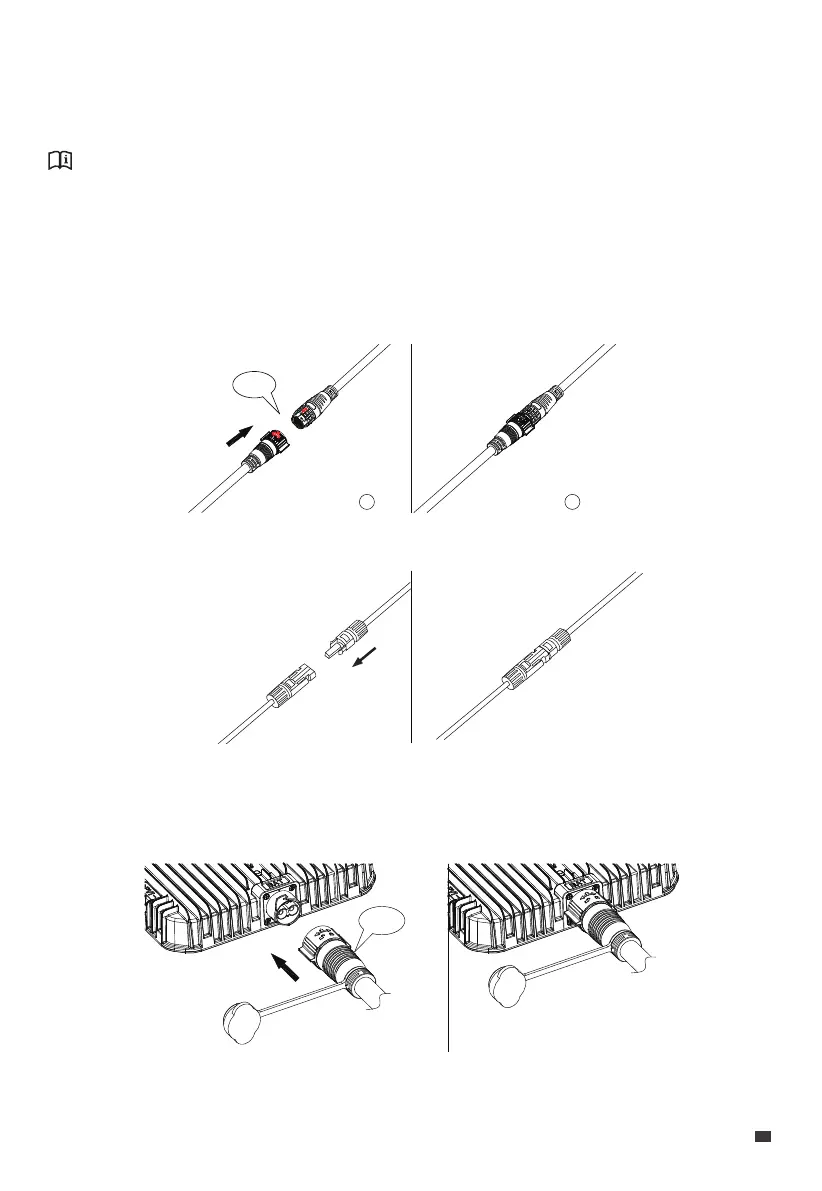
Use the DC to MC4 Connection Cable to connect the D100P and the microinverter.
Align the two arrows on the DC connectors and firmly push them together. You'll hear a
click when they're in place.
3.4.4 Connect the BLUETTI Battery
Connect the BLUETTI Battery to the battery connector of the D100P using the battery
expansion cable. You'll hear a click when they're in place.
Notice: For an overview of the microinverter, please refer to Section 2 of the A80P
Microinverter User Manual.
Join the MC4 connectors together. You'll hear a click when they're in place.
1 2
click
click
JUST POWER ON 15
EN


 To Next Page