08
BLUETTI
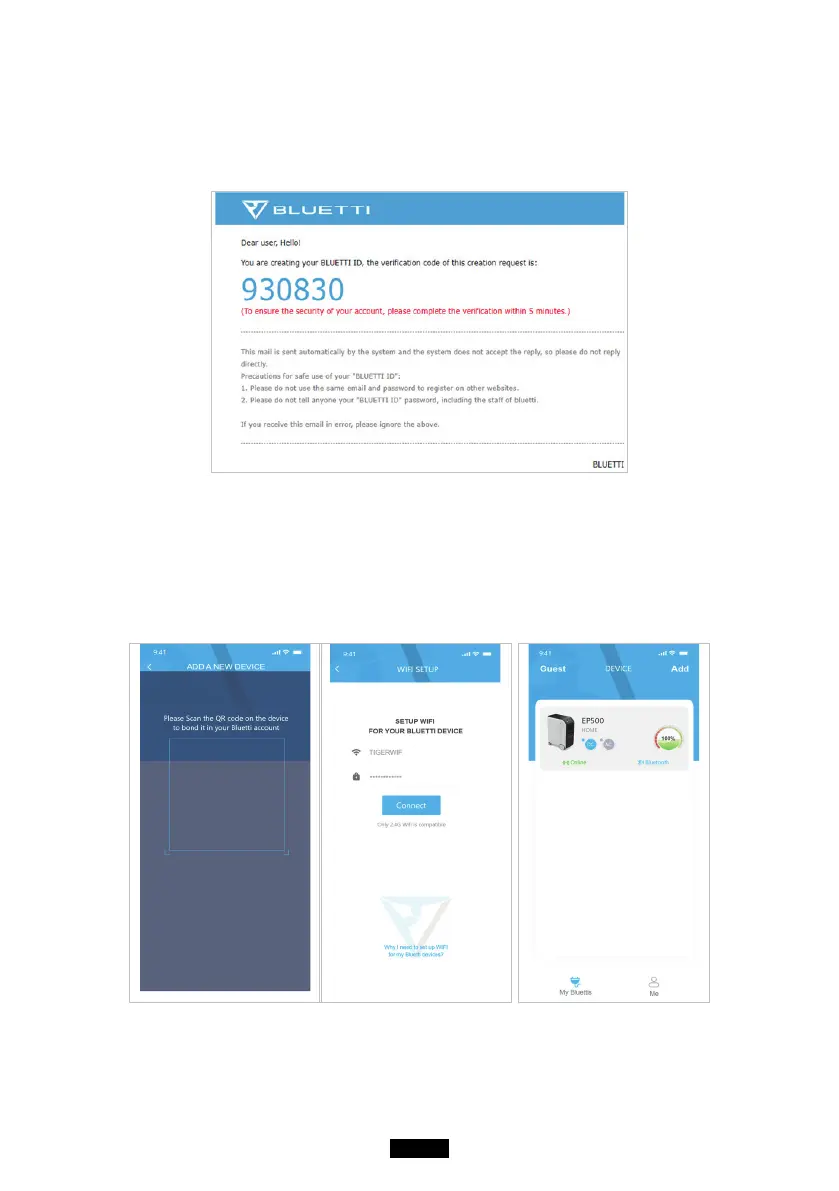
● Check your email account you used in the BLUETTI App for the verication
code sent from BLUETTI and ll in the activation code located within the
email to activate your BLUETTI account.
Step 2:
● Scan the unique QR code on EP500 to add the unit on the available device
list on the App, and ll it with the password of your 2.4G Wi-Fi network to
activate the communication function of EP500 for data syncing.



 To Next Page