09
Just Power On
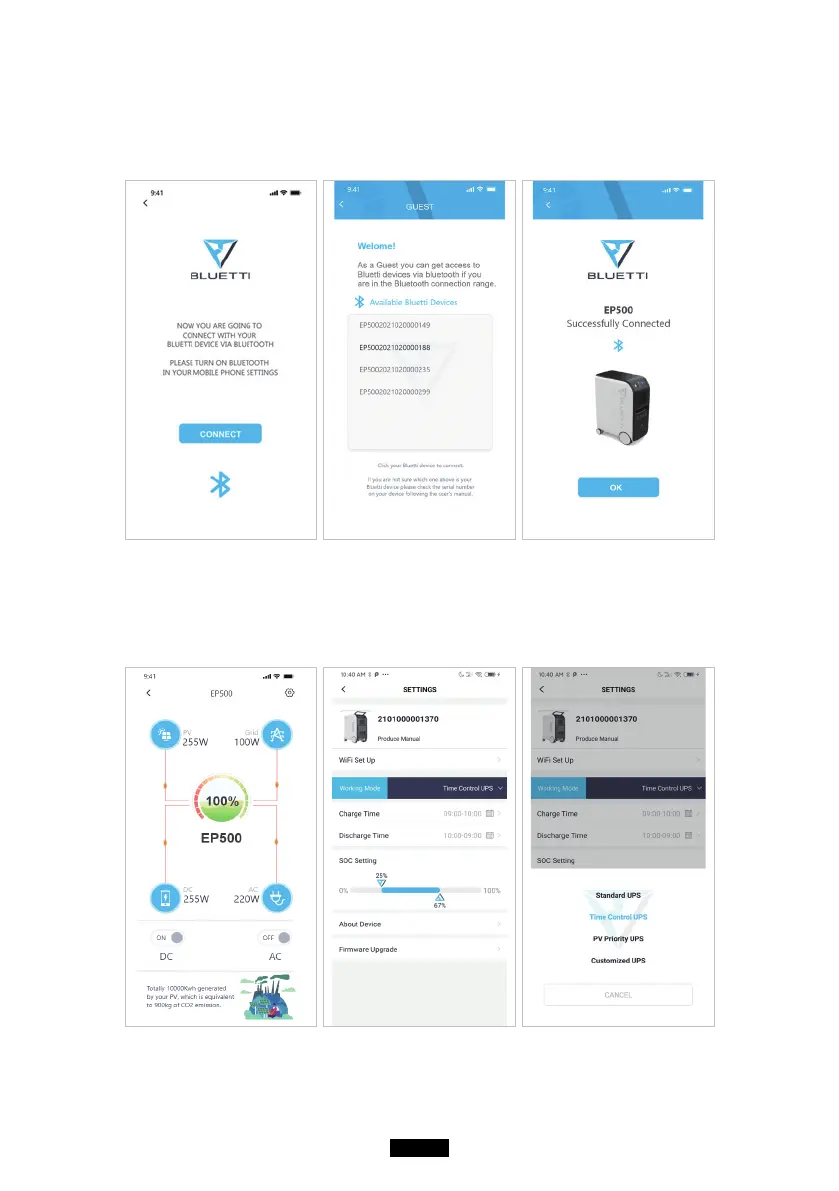
● For Bluetooth Connecting, click ‘’CONNECT’’ at the homepage to connect EP500
with your phone via Bluetooth, select the SN number of your devices. Please
press ‘’settings-product info’’ on EP500 to view the SN number of your unit.
● The basic information can be viewed after the unit is connected with App successfully.
Press ‘’gear icon’’ to customize the current working mode and parameters of
your EP500 under “Settings”.



 To Next Page