10
BLUETTI
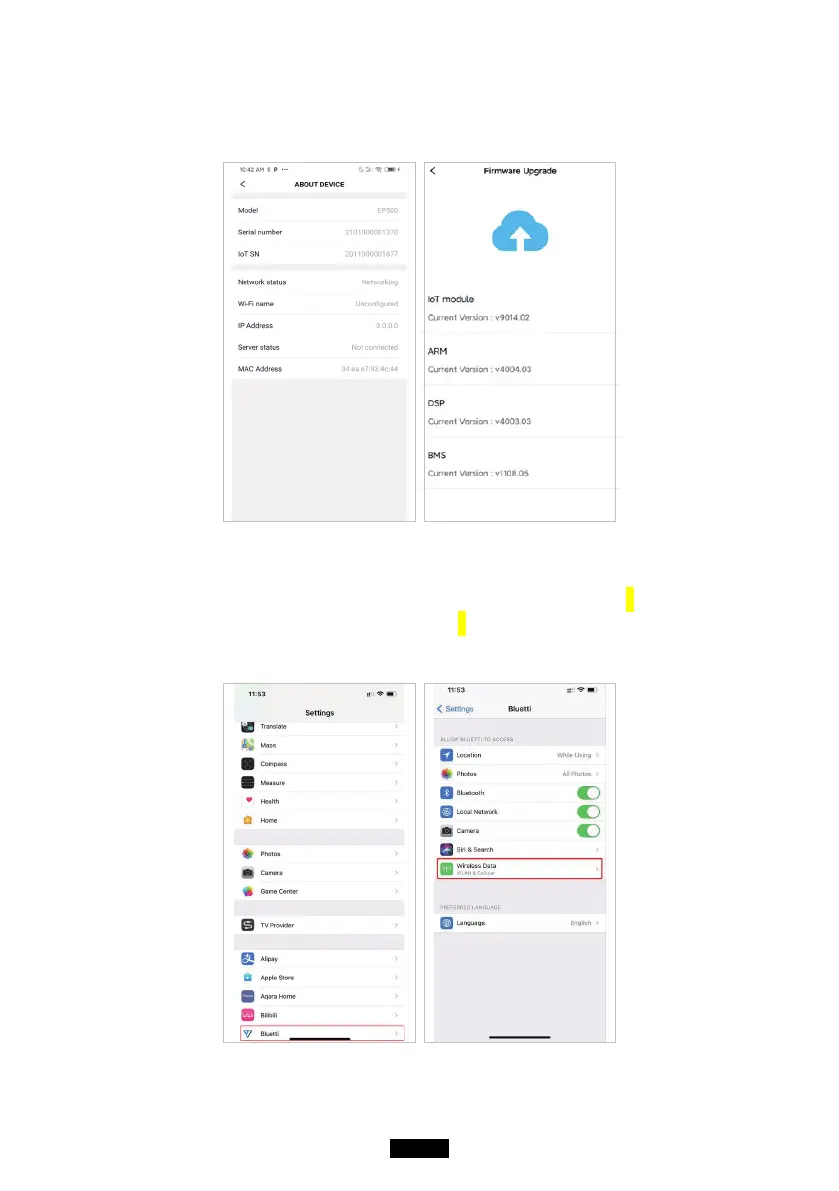
● BLUETTI App supports “Firmware Update” function to access the latest version
of rmware for a better user experience.
NOTE: Please keep your phone 5m/16.4ft within the EP500 for better
connection during update.
Please follow the instruction listed below if the IOS version
BLUETTI APP failed to connect to internet. By tapping Settings
- scroll down until BLUETTI icon shows up - Enable the
Wireless and Data.



 To Next Page