28
BLUETTI
BLUETTI
Sub Panel
BLUETTI
PV Module
Main Panel
Solar Panel
EP500
&
EP500Pro
Critical Load
≤2000W/3000W
or
≤4000W/6000W
Non-critical Load
≥2000W/3000W
or
≥4000W/6000W
Grid
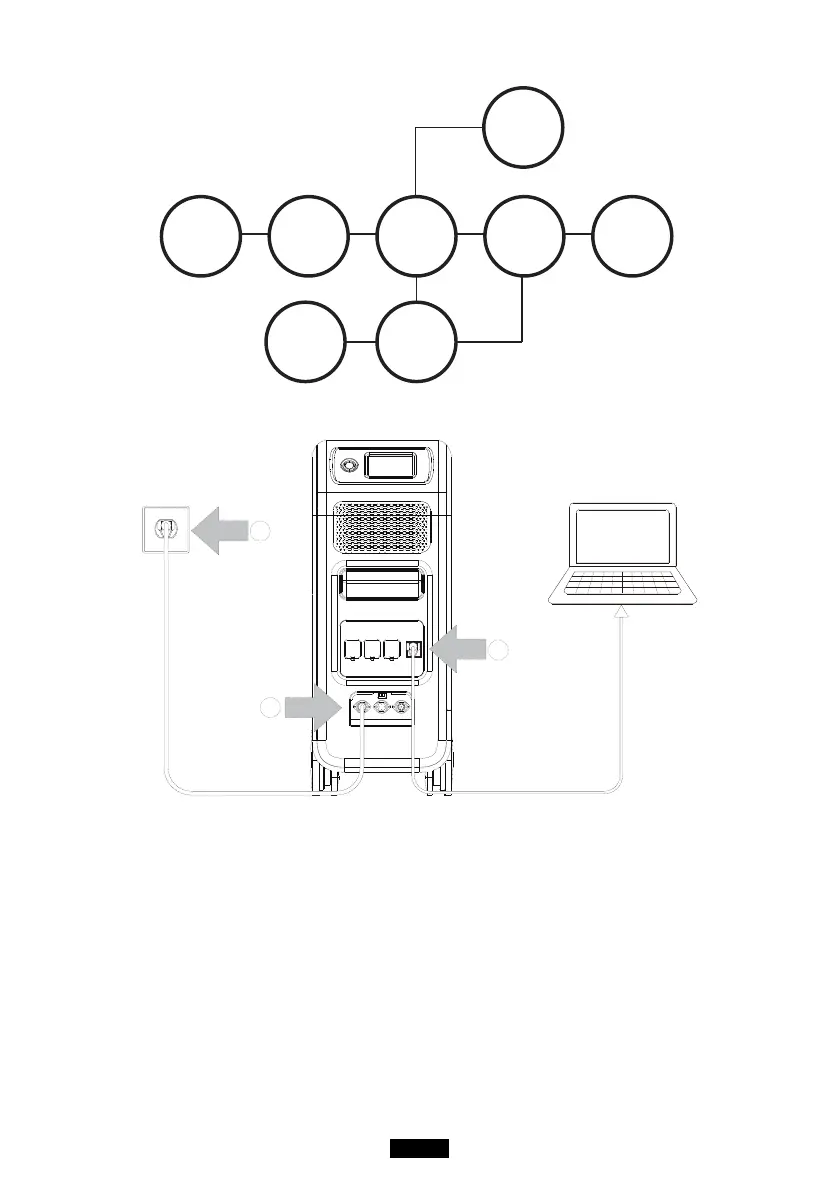
( EP500 grid-tied home power back-up system with Sub Panel and roof panels )
(
Easy Plug-in UPS system
)
Step1: Plug the AC charging cable into wall outlet
Step2: AC charging cable into AC input port(left one)
Step3: Connect the load to EP500 via AC output port
Note: The output power in Plug-in UPS Mode is subject to the
specication of the current and voltage from home circuit.
a, PV Priority Mode b, Oine Standard UPS Mode
c, Time Control UPS Mode d, Customized Mode(out of discharge
time)E.g.: Current (15A) X Voltage (120V) = 1800W (in US)



 To Next Page