2.7 Calibration
The V100 is delivered factory
calibrated 0-100 % ±1%.
Calibration procedure
Zero position
1. Set 0% input signal.
2. Wait until the valve has adjusted.
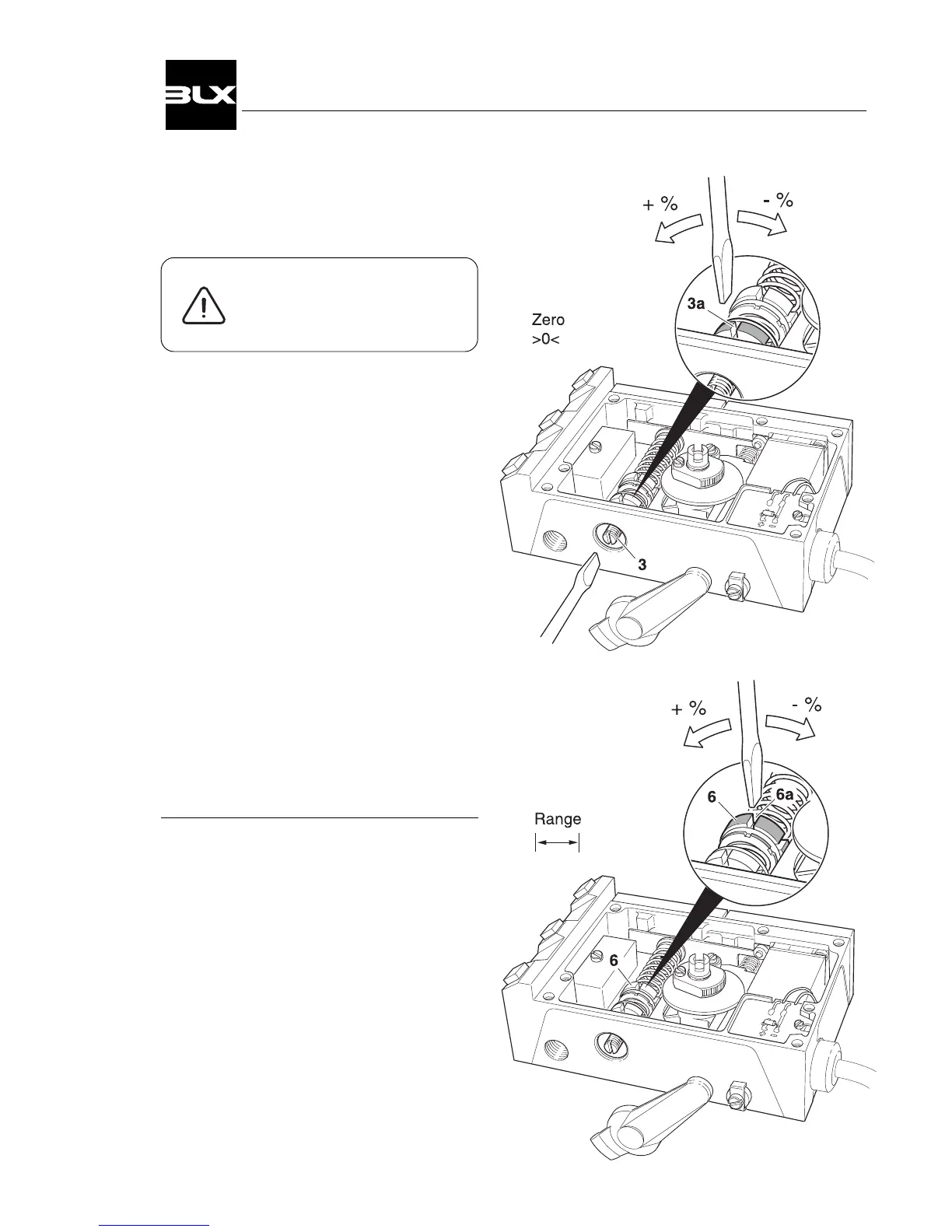
3. Adjust the zero position by turning
the zeroing screw(3), with a screw-
driver from the outside or by using
a slot(3a) on the yellow wheel.
Range
4. Increase to 100% input signal.
5. Wait until the valve has adjusted.
6. Adjust the range by turning the red
range nut(6).
Check the zero position
Make fine adjustments if necessary.*
* With Split Range, where zeroing can be
done by a signal other than 0%, the
steps
1-6 must be repeated until the desired
setting has been reached.
11
V100 Positioner


 To Next Page