PHERAstar FS Operating Manual BMG LABTECH
10/26 0471B0001A 2009-09-22
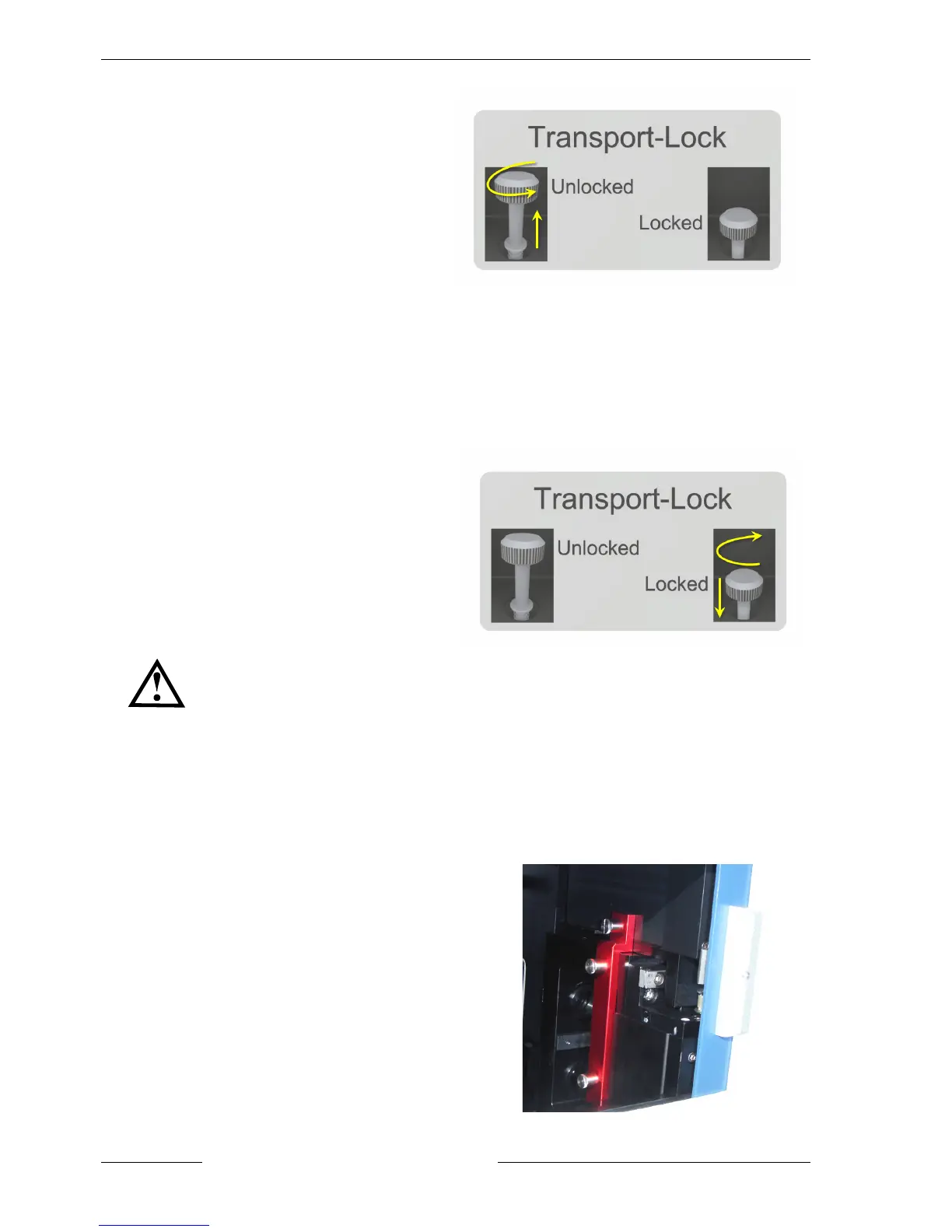
Figure 6: Unlocking the plate carrier
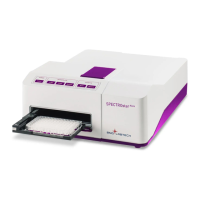
3.1.2 Locking the Plate Carrier
Upon closing the software or pushing the plate carrier in/out button for more than three seconds (figure 10),
the plate carrier will move into the respective lock position. Push the screw down and turn it clockwise to lock
the plate carrier (figure 7). The screw has to be tight and must not be moving as it was in the unlocked
position.
Figure 7: Locking the plate carrier
Never open the plate carrier door during measuring.
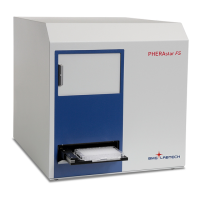
3.1.3 Unlocking and Removing the Optic Module Transport System Protection Plate
Open the optic module door and unscrew the three screws and remove the (red) protection plate
(figure 8). Because of a spring loading mechanism, the screws will stay connected to the protection
plate. This plate is also used for offset determination of the optic module transport system. Store the
protection plate in the shipment box (figure 11).
Figure 8: The optic module transport lock


 To Next Page