PHERAstar FS Operating Manual BMG LABTECH
12/26 0471B0001A 2009-09-22
4 Description of Components and Peripherals
4.1 PHERAstar FS Operating Lamp
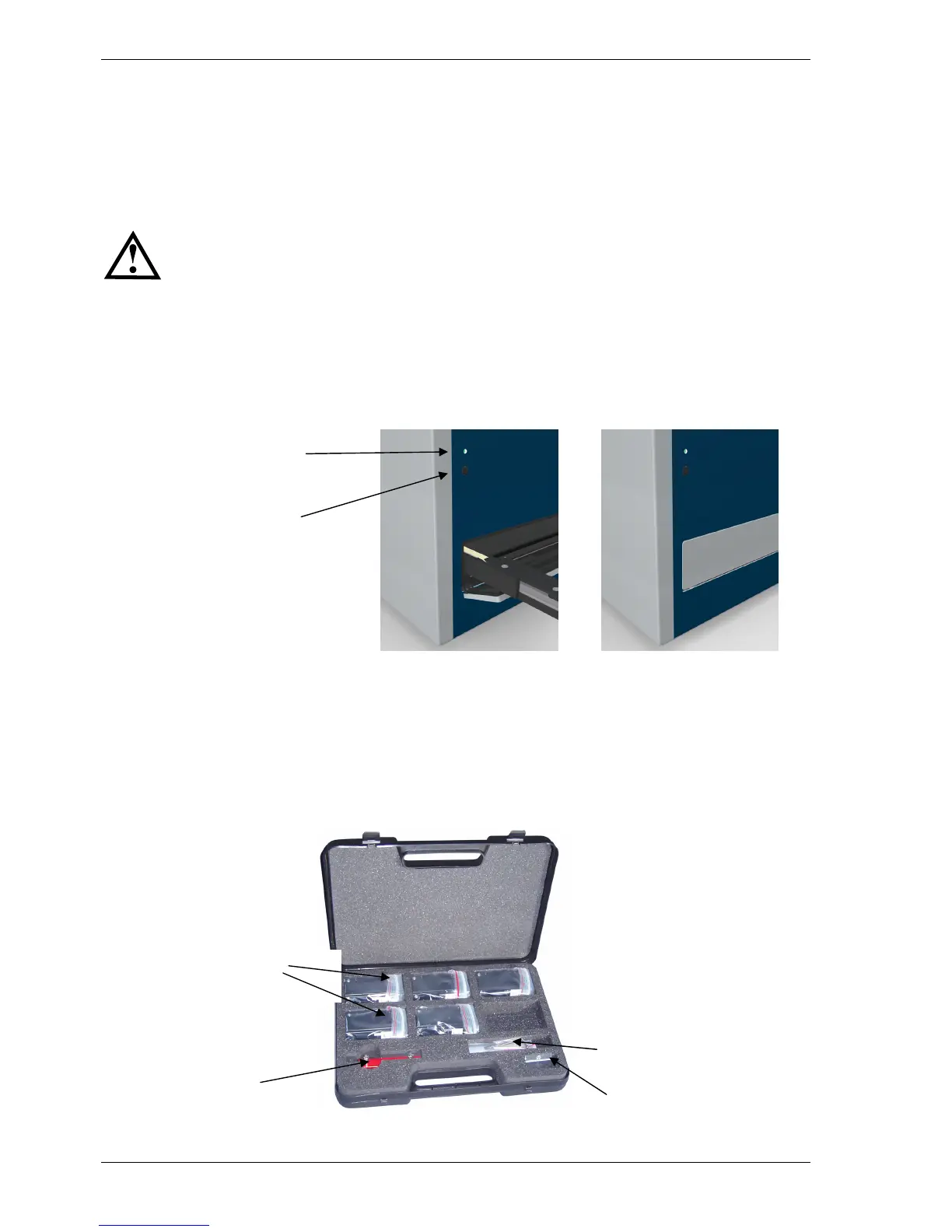
The operating lamp (see figure 10) delivers a constant blue light when the instrument is turned on.
A flashing blue lamp (once per second) means the instrument is busy (e.g. performing a measurement, plate
in/out, etc.).
A fast flashing lamp (five flashes per second) indicates that the reader has stopped for uncommon reasons.
The function of the plate carrier in/out button will be disabled during measurement and
during Stacker operation!
When the plate carrier is out, the internal fan will reduce its speed, because the amount of air needed to
maintain an acceptable inner environment can be acquired more easily through an open plate carrier door.
4.2 Plate Carrier In/Out Button
The plate carrier in/out button on the front (figure 10) is an easy way to get the plate carrier in and out. The
plate carrier in/out button works independently from the PHERAstar FS Control Software.
Figure 10: Plate in/out button and operating lamp
Pressing the plate carrier in/out button for more than three seconds moves the transport systems of the plate
carrier and the optic module to the reference positions in which they can be locked, as described in section
3.1.1 and 3.1.4 above.
4.3 PHERAstar FS Shipment Box
Figure 11: Shipment box
Optic Modules
Optic module transport lock
and alignment tool
Extra bags and
Allen keys
Fuses
Operating lamp
Plate in/out button


 To Next Page