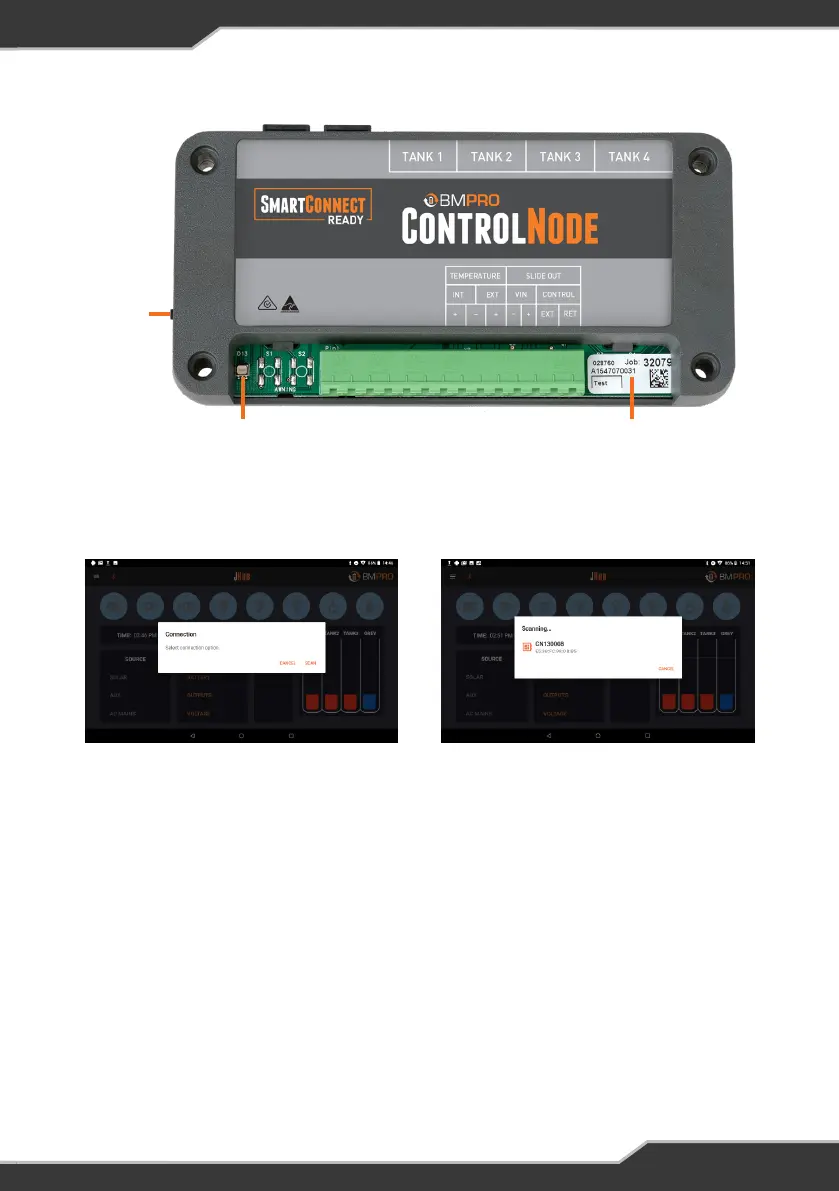
Figure 5: ControlNode Description
PAIRING
BUTTON
LED STATUS
INDICATOR
SERIAL
NUMBER
6. Select the device with the number that corresponds to the last six digits of the
serial number of the ControlNode you wish to pair to.
7. After a successful connection, the LED status indicator on the ControlNode will
turn OFF and the Bluetooth icon in the JHub will turn from red to blue.
Figure 6: JHub scanning for available ControlNode
11


 To Next Page