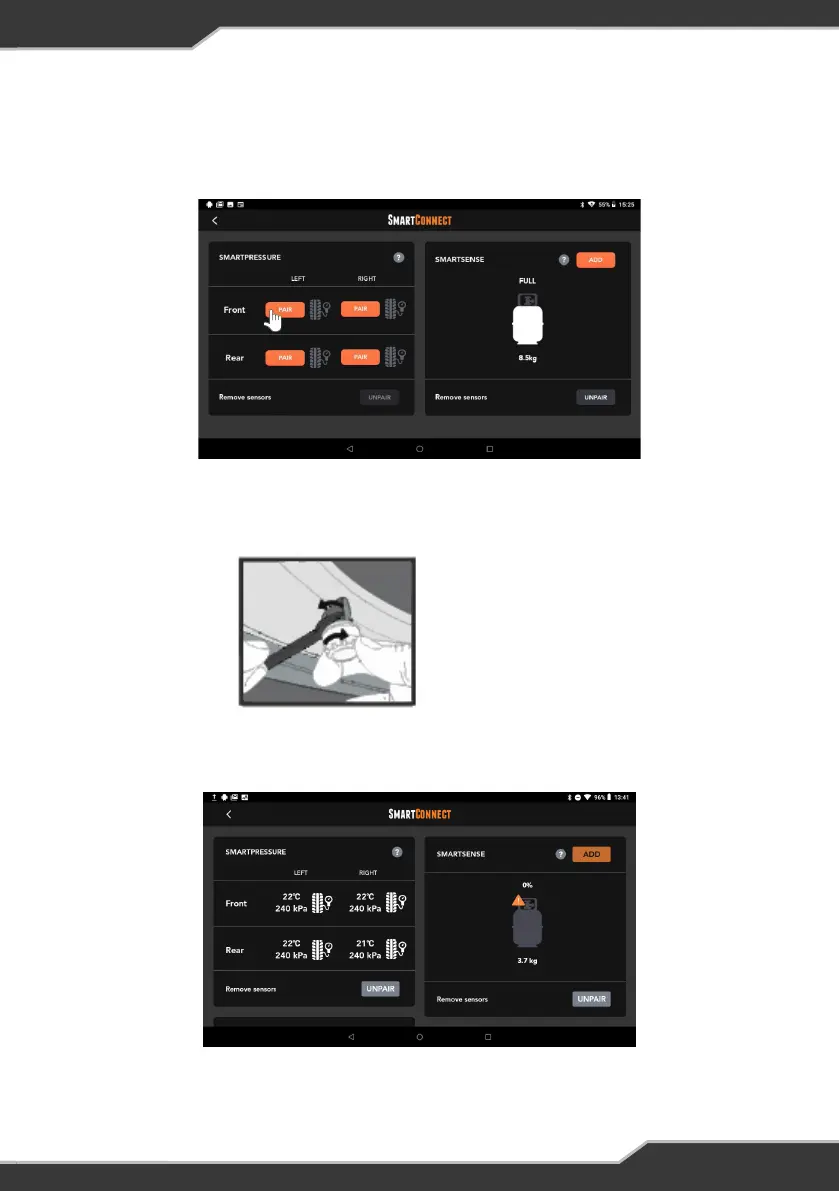
Pairing SmartPressure Tyre Sensor
1. To pair the tyre sensor, press the “Pair” button at the wheel location where you
want to install the tyre sensor.
2. After Pressing the “Pair” button, tighten the lock nut on the tyre with the
provided tool.
Figure 16: Tightening the
SmartPressure tyre sensor
3. If pairing is successful, the tyre icon will be changed to the white color instead of
grey and the pressure and temperature of the tyre will be displayed
Figure 17: SmartPressure Tyre sensor after successful pairing
Figure 15: Adding SmartPressure tyre sensor
17


 To Next Page