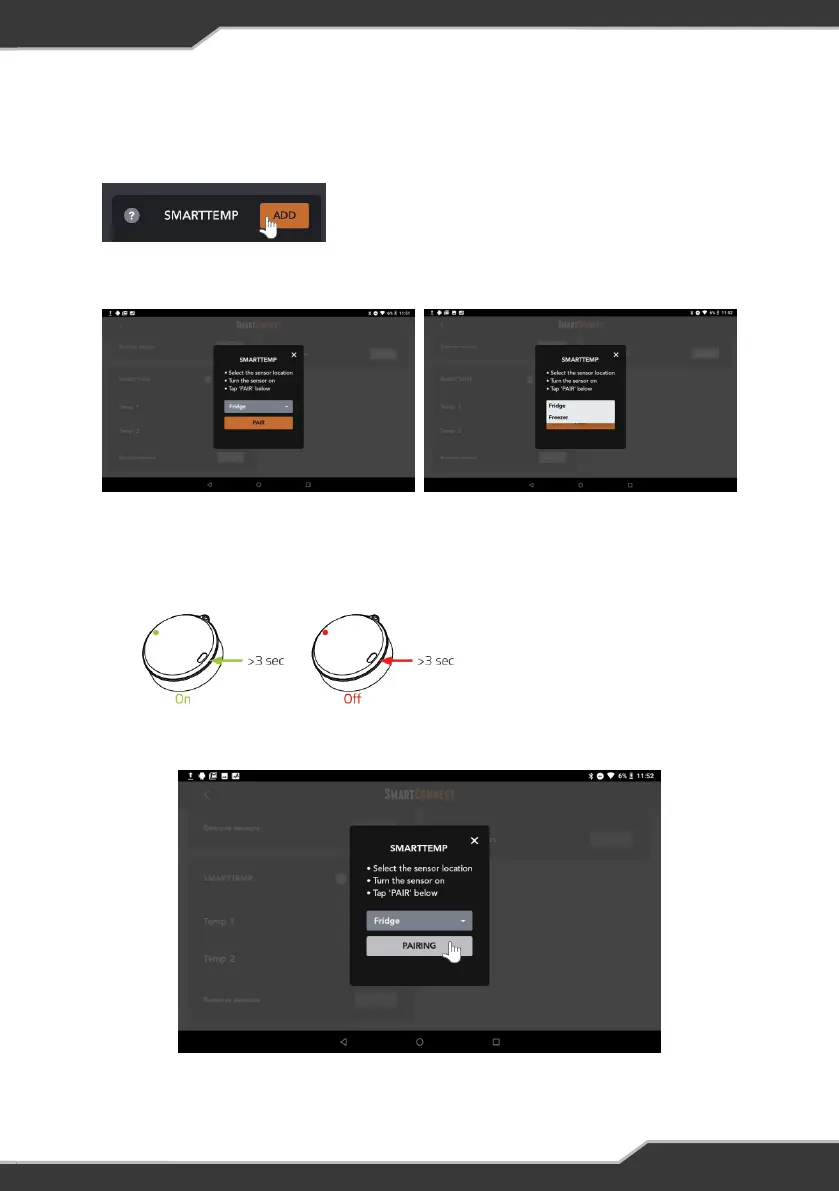
Pairing SmartTemp Temperature Sensor
1. To pair the temperature sensor, press the “ADD” button.
2. A list will appear to select the intended temperature sensor location.
Figure 21: Selecting SmartTemp temperature sensor location
4. Press the pair button to start pairing the temperature sensor.
3. Turn on the temperature sensor by pressing and holding the power button on the
temperature sensor for 3 seconds.
Figure 22: Switching On/Off the
SmartTemp temperature sensor
Figure 20: Adding SmartTemp
temperature sensor
Figure 23: SmartTemp sensor pairing in progress
19


 To Next Page