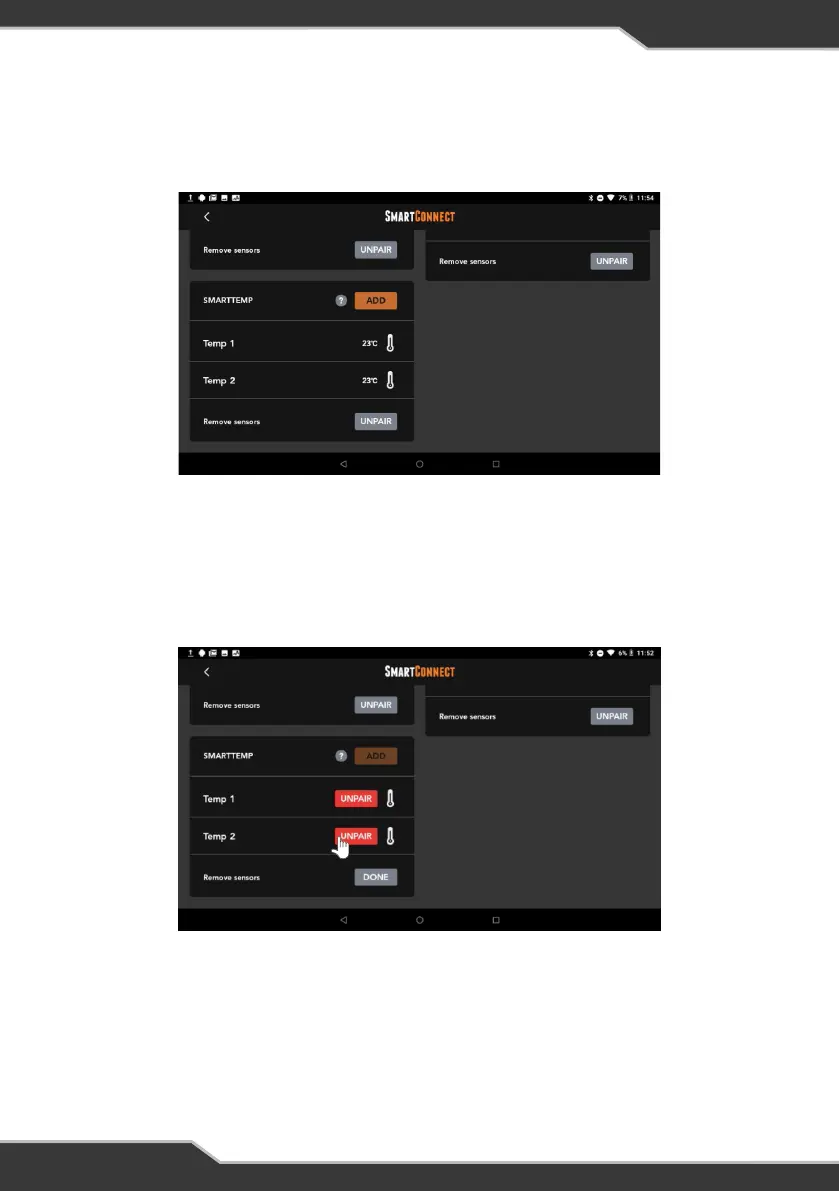
Figure 24: Successful pairing of the SmartTemp temperature sensor
Figure 25: Unpairing SmartTemp temperature sensor
5. After pairing is successful, temperature sensors will be listed.
6. To unpair the SmartTemp sensor, press the “Unpair” button below the
SmartPressure tile, and then press the red “Unpair” button to complete the
process of unpairing the sensor.
20


 To Next Page