The user is able to set minimum and maximum limits for SmartPressure and
SmartTemp sensors. To adjust the warning thresholds for both SmartTemp
temperature sensor and SmartPressure Tyre sensor follow the below instructions.
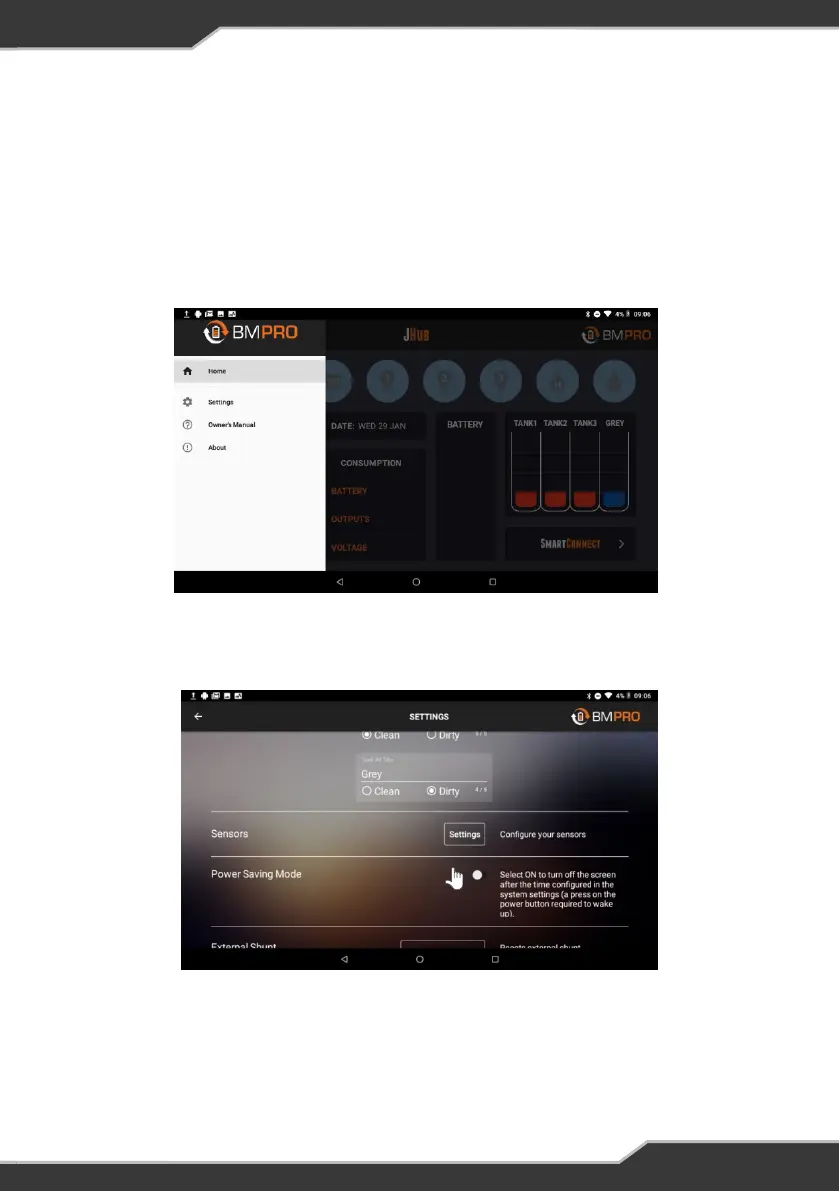
2. Press the “Settings” button in the Sensor’s tile.
Setting Sensor Alarms
Figure 27: Selecting Sensors settings
1. Press the “Menu” button in the top left corner of the App homepage and select
“Settings” from the list.
Figure 26: JHub menu list
21


 To Next Page