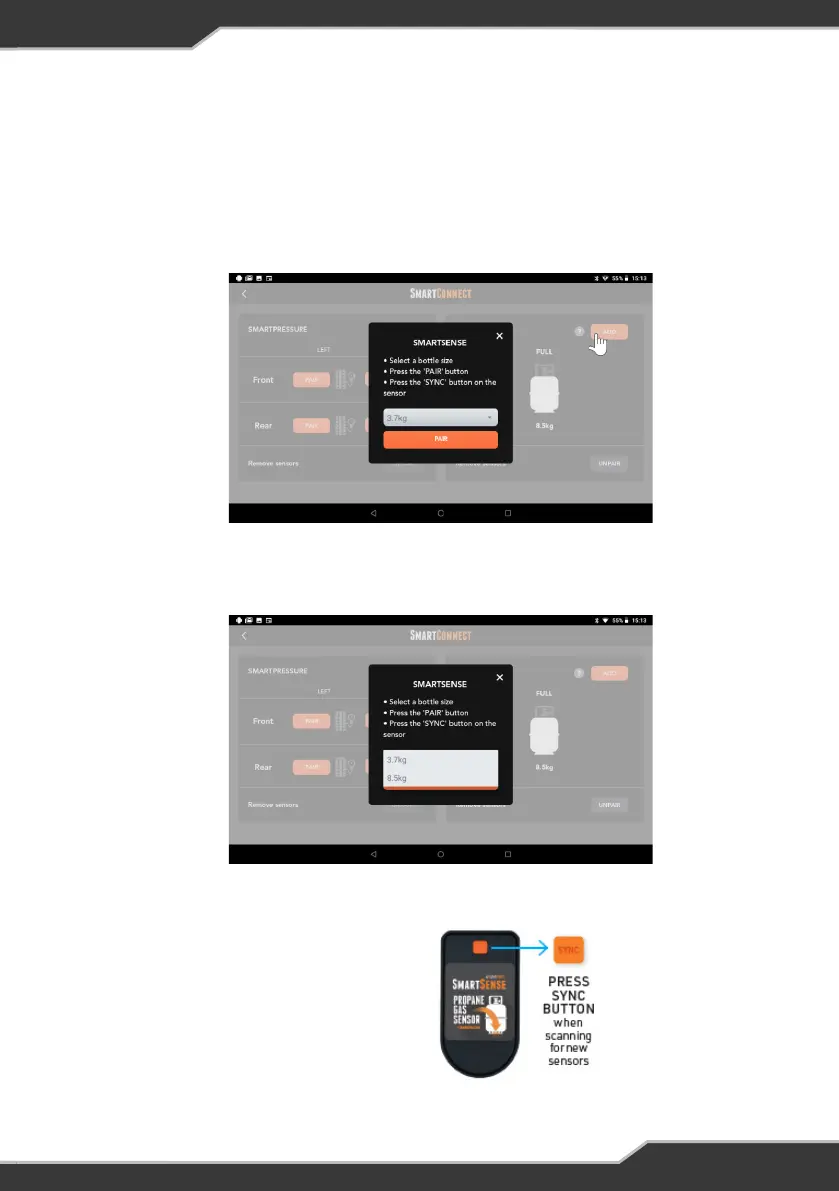
1. Enter SmartConnect screen from the JHub Home screen
2. Press the “Add” button displayed in top right corner.
3. A notification message will appear with instruction on how to pair.
4. Select the bottle size.
PAIRING AND USING SMARTCONNECT SENSORS
Pairing SmartSense Gas Bottle Level Sensor
5. Press the “Pair” button.
6. After pressing the “Pair” button,
press the “Sync” button on the
SmartSense sensor.
Figure 12: SmartSense sensor
Figure 11: Selecting bottle size
Figure 10: Adding a new SmartSense gas bottle level sensor
15


 To Next Page