T.O. BMS1F-16CM-1 BMS 4.34 Change 2.00
BMS 4.34 Dash 1
© Red Dog 2012-2019 Page: 110
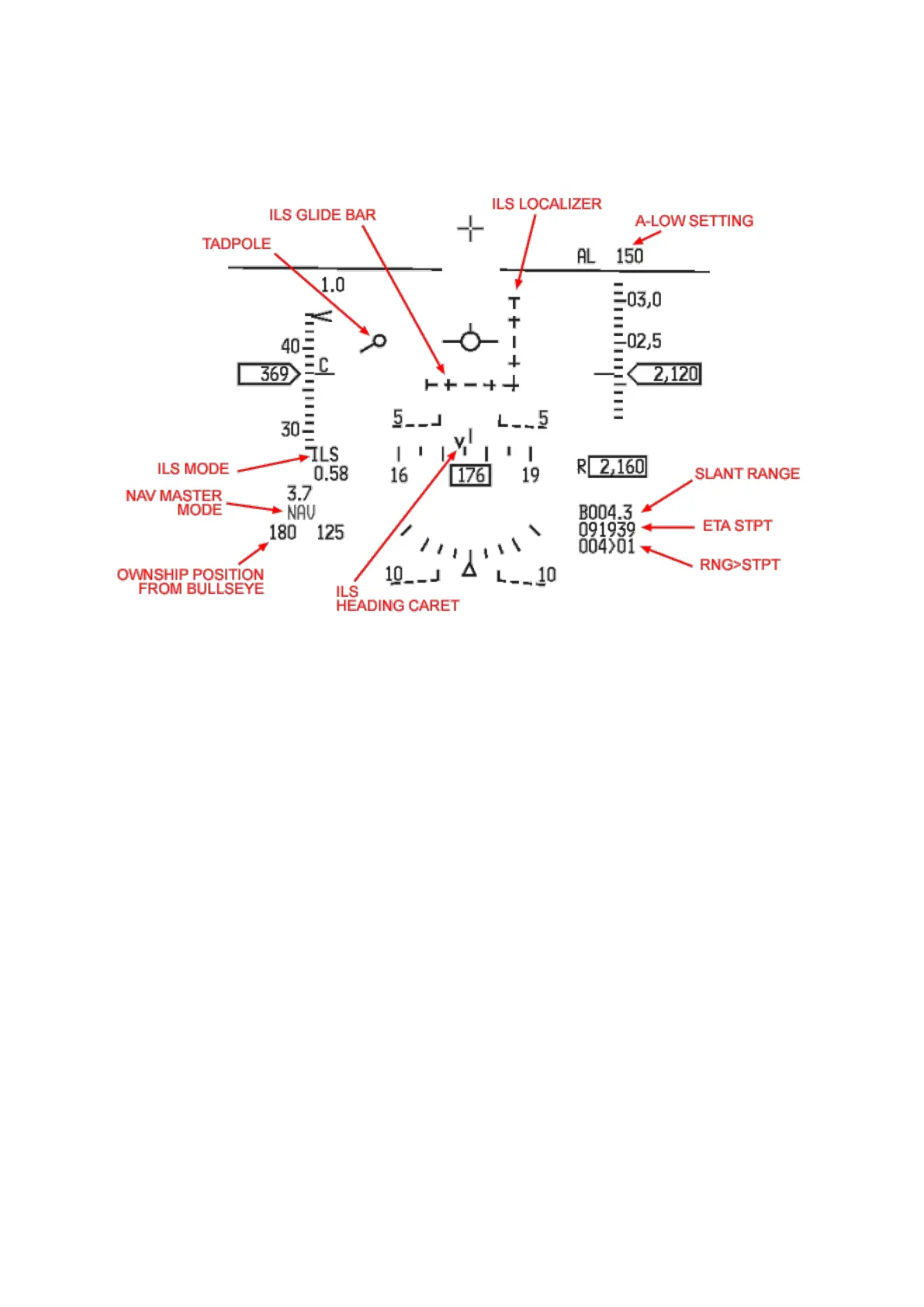
1.5.2. HUD in NAV mode
Most of the displayed features are not specific to NAV mode but are active in all Master Modes.
• The Great Circle Steering Cue (tadpole) points to the currently selected steerpoint (SPI). The
SPI is also displayed on the HUD with a diamond. When outside the HUD field of view a cross
is superimposed on the diamond and the crossed diamond remains on the edge of the HUD,
towards the direction of the SPI (which is why you do not see it on the picture above).
• The A-LOW setting on top of the altitude scale corresponds to the first line (CARA) set in the
UFC A-LOW page.
As always, different information can be displayed according to the way various subsystems are set up:
• If the HSI is switched to NAV/ILS or TCN/ILS the HUD will display the ILS localizer and glide
slope and the CMD STRG cue if activated in the UFC T-ILS page.
• The ETA to STPT can be replaced by ETE (Estimated Time Enroute) according to the UFC
CRUS TOS page settings.
• Different carets can be displayed around the tapes to give visual cues for airspeed, altitude
and heading, again according to UFC subsystems.
• Ownship position from Bullseye can be displayed or not depending on Bullseye being mode
selected in the UFC BULL page (LIST 0 8).
• Radar altitude will blank if you are outside of its attitude and altitude limits.
• The inverted V on the heading tape is displayed whenever the ILS mode is selected and
represents the ILS heading caret. It is the wind corrected heading required to maintain the
selected ILS approach course.



 To Next Page