T.O. BMS1F-16CM-1 BMS 4.34 Change 2.00
BMS 4.34 Dash 1
© Red Dog 2012-2019 Page: 116
1.5.10. HUD MARK
Manual markpoints can be created on landmarks within the HUD field of view by using the HUD MARK
page. Whenever the Master Mode is set to A-G or NAV and the FCR or TGP is not SOI and
designating or ground stabilized, pressing the ICP #7 button will default the markpoint mode to HUD.
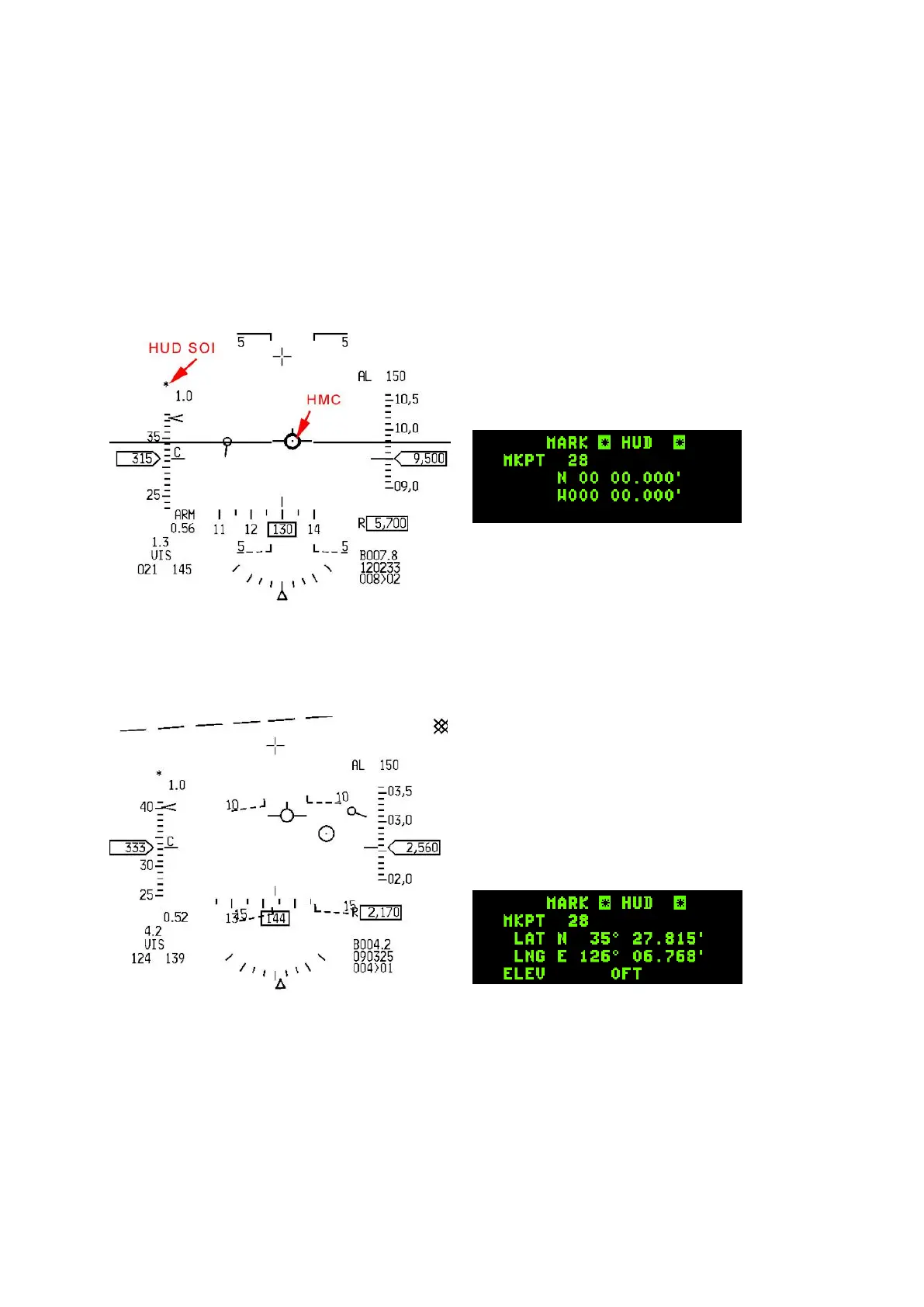
The HUD will display a HUD Mark Cue (HMC) consisting of a small 12 milliradian pipper with a dot in
the centre. There are 2 states for HUD MARK mode, pre-designate and post designate.
In pre-designate mode the HMC pipper is placed on the FPM.
The HUD is automatically made SOI and the HMC pipper can be moved within the HUD field of view.
A first TMS up will ground stabilize the pipper which can then be moved into position. The coordinates
in the MARK UFC page will remain blank as the markpoint is not saved yet.
TMS down at this point will cancel ground stabilisation and return the HMC to pre-designate position.
A further press of TMS up will store the markpoint in the steerpoint bank. A small cross will be
displayed on the HSD at the location of the markpoint. Depressing the M-SEL 0 button on the ICP with
the newly made markpoint still showing on the DED will select it as the active steerpoint (SPI).



 To Next Page