T.O. BMS1F-16CM-1 BMS 4.34 Change 2.00
BMS 4.34 Dash 1
© Red Dog 2012-2019 Page: 201
3.4.2.1. Example workflow: Ramp Start with AIR SOURCE knob out of NORM
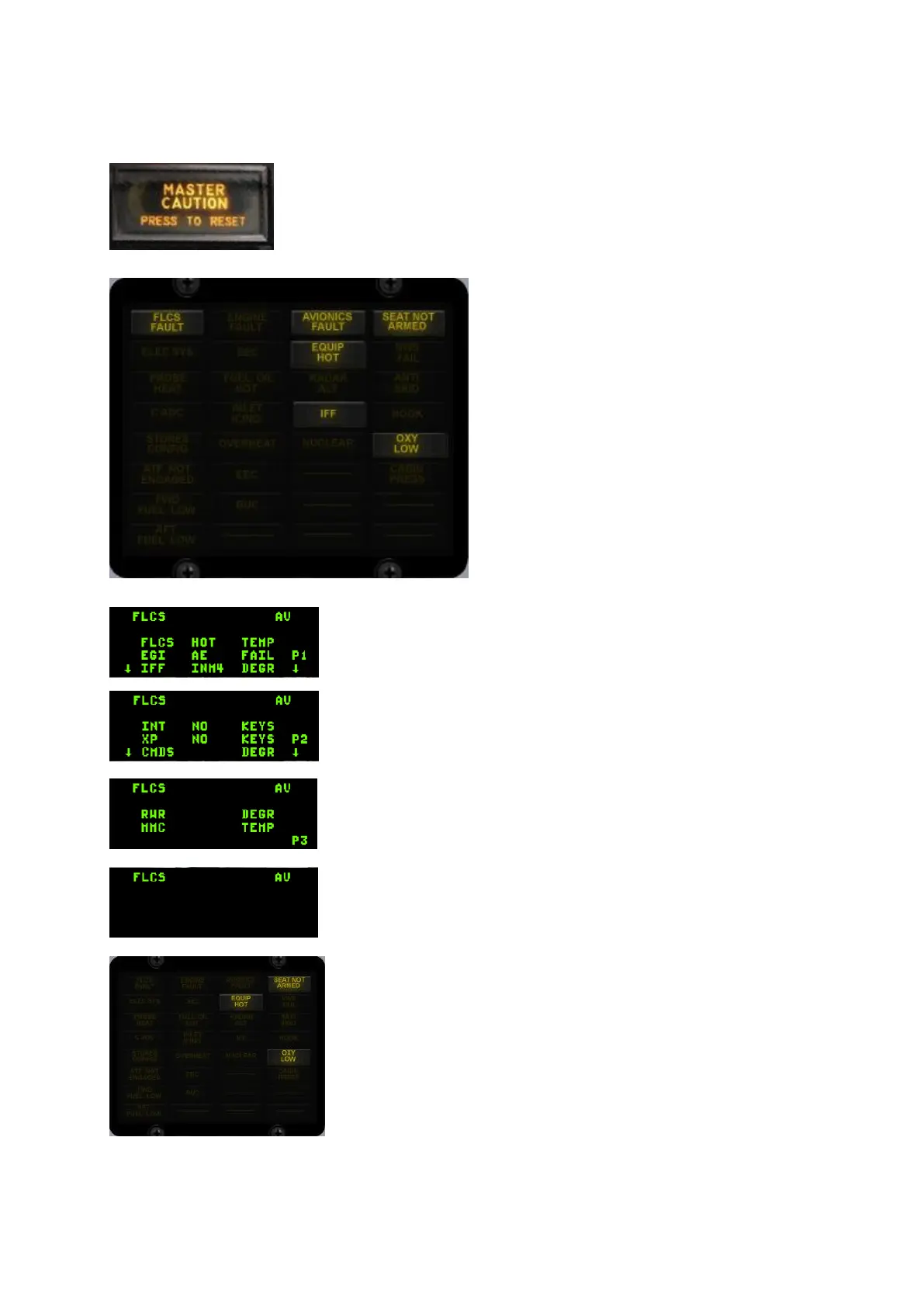
1. The first indication to the pilot will be the illumination of the MASTER
CAUTION light. It is not in fact the first caution light to illuminate, but usually
the first one that is noticed.
2. The pilot will then check the caution panel
and identify the faulty system.
In this case both the FLCS FAULT and
AVIONICS FAULT lights are illuminated.
3. Looking at the PFLD the pilot will confirm the FLCS & AV
mnemonics in the status line and the type of fault present in the
following lines. Pressing the F-ACK button will acknowledge each
page in sequence. The button needs to be depressed as many times
as they are pages present.
4. After the F-ACK press the second page is displayed. Bottom
arrows are still displayed so a third page is present and needs to be
reviewed with the F-ACK button.
5. The third and final page is acknowledged. A subsequent F-ACK
press will clear the faults.
6. Once all faults have been acknowledged the mnemonic will remain
displayed as long as the fault is present.
7. With the fault cleared the caution panel will extinguish the FLCS
and the AVIONICS caution lights.
The others still remain illuminated as the source of the problem
hasn’t been solved yet.
The EQUIP HOT is a tell-tale sign of the real issue here if the pilot
didn’t get it through the PFL messages.



 To Next Page