T.O. BMS1F-16CM-1 BMS 4.34 Change 2.00
BMS 4.34 Dash 1
© Red Dog 2012-2019 Page: 153
Luckily you do not have to manually input all these settings in the jet; your DTC is pre-programmed
with all the briefed settings. Therefore if you do not change any IFF settings manually, the time and
position criteria will be defined as per the brief and the IFF settings will change accordingly. All you
have to do is turn the IFF MASTER knob to STBY at ramp and turn it to NORM upon taking off.
Nevertheless studying the IFF brief may help to prevent fratricide.
As you saw in the Panther/Mudhen example above you will never get a friendly answer in Mode 2,
unless you specifically change your M2 interrogator code. A pilot who missed that information and
interrogates in Mode 2 only might think that the bogey he is interrogating is a bandit.
This particular “per aircraft” policy could be useful when you want to find a specific aircraft (like a
tanker for instance). All you need to do is go to his briefing page, note the aircraft specific M2 or M3
code and the possible rotation of codes (more for M3). When you want to find it, you change the M2
code in your interrogation page to his specific code and you interrogate in M2. The only friendly
answer will be the aircraft you are looking for.
The question of course is how to get into that tanker briefing. Since he’s probably not in your package
and originating from another airbase scenario, your only way to get that code is to read the tanker
briefing. This can be done either by finding the aircraft icon on the planning map and joining that flight,
or by opening up the ATO, finding the fragged tanker flight in the support flights and opening his
briefing to note down the aircraft specific IFF codes. If you do that, make sure you record your own
squadron, package number and flight callsign, because you will have to find your flight in the ATO
after having joined the tanker flight to read its brief.
1.16.4 How to use the IFF in flight
Once the IFF system has been properly set up through the DTC (DTE load) and the system is
activated (IFF MASTER Knob in NORM) the IFF will do two things in flight:
1. The transponder will answer queries from other aircraft.
2. The interrogator, when activated, will send queries to other aircraft and display the responses
on both your FCR and HSD MFD pages.
1.16.4.1 Transponder
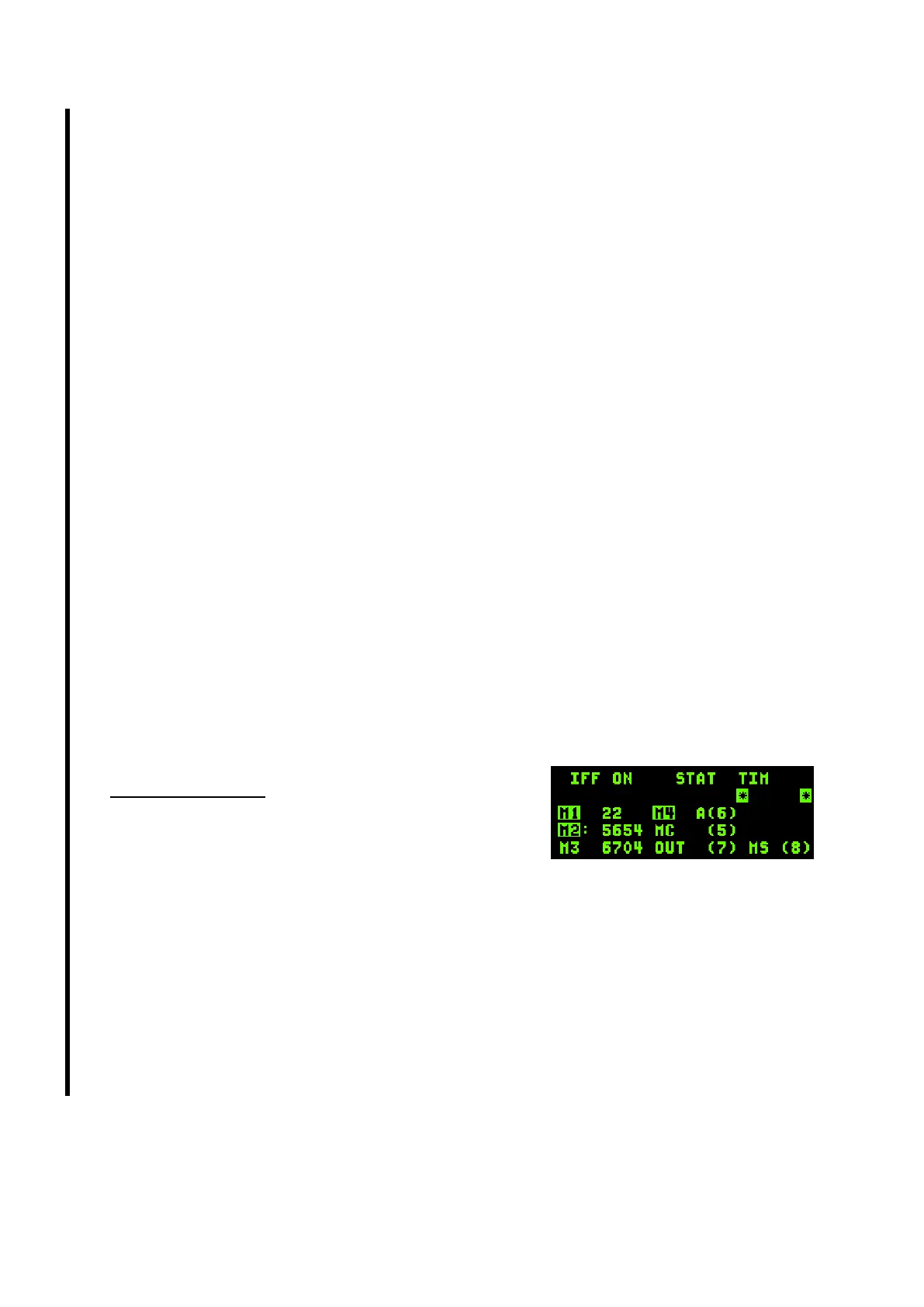
The transponder page is accessed with the IFF ICP button.
This is the page where answers to IFF queries are managed.
The main page is the STATUS page and shows the modes
currently active (highlighted) and their corresponding codes.
Both should match the IFF policy in the briefing.
DCS right (SEQ) will change to the TIME and POSITION pages. These pages are preset via the DTC
setting and will change the IFF transponder according to either the TIME or Position events stated in
the briefing. Pilot can override these settings and create new criteria by using these pages.
Changing any of these settings manually may lead to incorrect responses from your IFF transponder
when interrogated versus the briefed IFF policy. Therefore it should be changed with caution.
The IFF transponder is fairly transparent in use. Once set correctly (loading the DTC into the jet via
the DTE page) the IFF transponder will be set up according to the briefed IFF policy and the need to
deviate from that in flight should be very low.



 To Next Page