T.O. BMS1F-16CM-1 BMS 4.34 Change 2.00
BMS 4.34 Dash 1
© Red Dog 2012-2019 Page: 149
So if you have the CMD STRG cue under the FPM and the V centred on the heading tape, your nose
should be crabbed into the wind just the right amount to maintain ground track along the approach
course centreline to the runway.
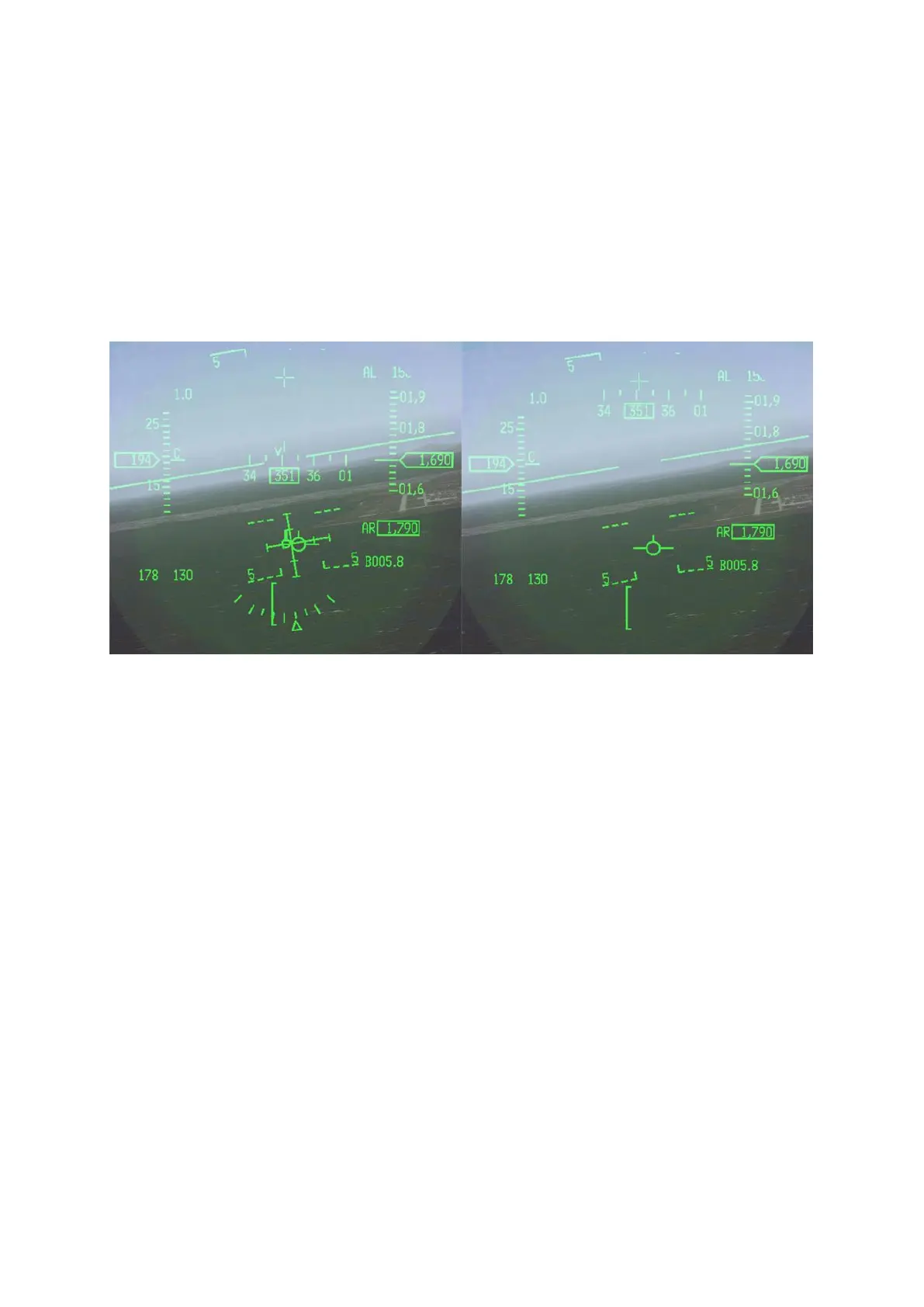
With the gear down and the ILS HUD up there is a declutter option that removes some of the
symbology on the HUD to give you a cleaner look at your aim point on the runway. That is done with
the UNCAGE button on the HOTAS throttle. If in the conditions mentioned above you press this button
the ILS bars and a few other pieces declutter so you can see the FPM and the AOA staple and the
runway a little more clearly. The declutter cancels with WOW, a mode change, or cycling the gear if
you don't proactively toggle the declutter off again yourself. The picture below illustrates the
decluttered HUD on the right.
The last thing you’ll recognise, which isn’t directly related to ILS but is with landing, is how various
symbology in the HUD now move in coordination with the FPM. This movement was noticed during
review of many HUD videos. The heading, speed, and altitude tapes, G meter, ALOW setting and
radar altimeter altitude all move up and down in the HUD based on the FPM. Some symbology can
fall completely off the HUD, but the airspeed and altitude boxes will always remain visible. Our logical
guess is that this allows consistency in the distance between the FPM and the altitude/airspeed boxes
and also serves as a visual cue of low airspeed/high angle of attack during an approach or in the
pattern.
For specific ILS training please refer to training missions #4 & #6 and the relevant BMS-training
document located in your \Docs folder.



 To Next Page