T.O. BMS1F-16CM-1 BMS 4.34 Change 2.00
BMS 4.34 Dash 1
© Red Dog 2012-2019 Page: 29
(don’t try in the sim!) It does however give you a third countermeasures program immediately
available without switching the PGRM knob on the CMDS. There is no mouse hotspot for the SLAP
switch in the 3D cockpit so you will have to use the key callback which you can assign to any
hardware button.
Not on the side wall but close to the left console you will find the seat arm lever on the left edge of the
seat. This lever safes/arms the ejection seat. The lever in the UP position safes the seat and the lever
in the DOWN position arms the seat.
BMS Key Callbacks for the left side panel:
AFCanopyToggle
AFCanopyOpen
AFCanopyClose
SimSlapSwitch
SimSeatOn
SimSeatOff
SimSeatArm (toggle)
SimEject
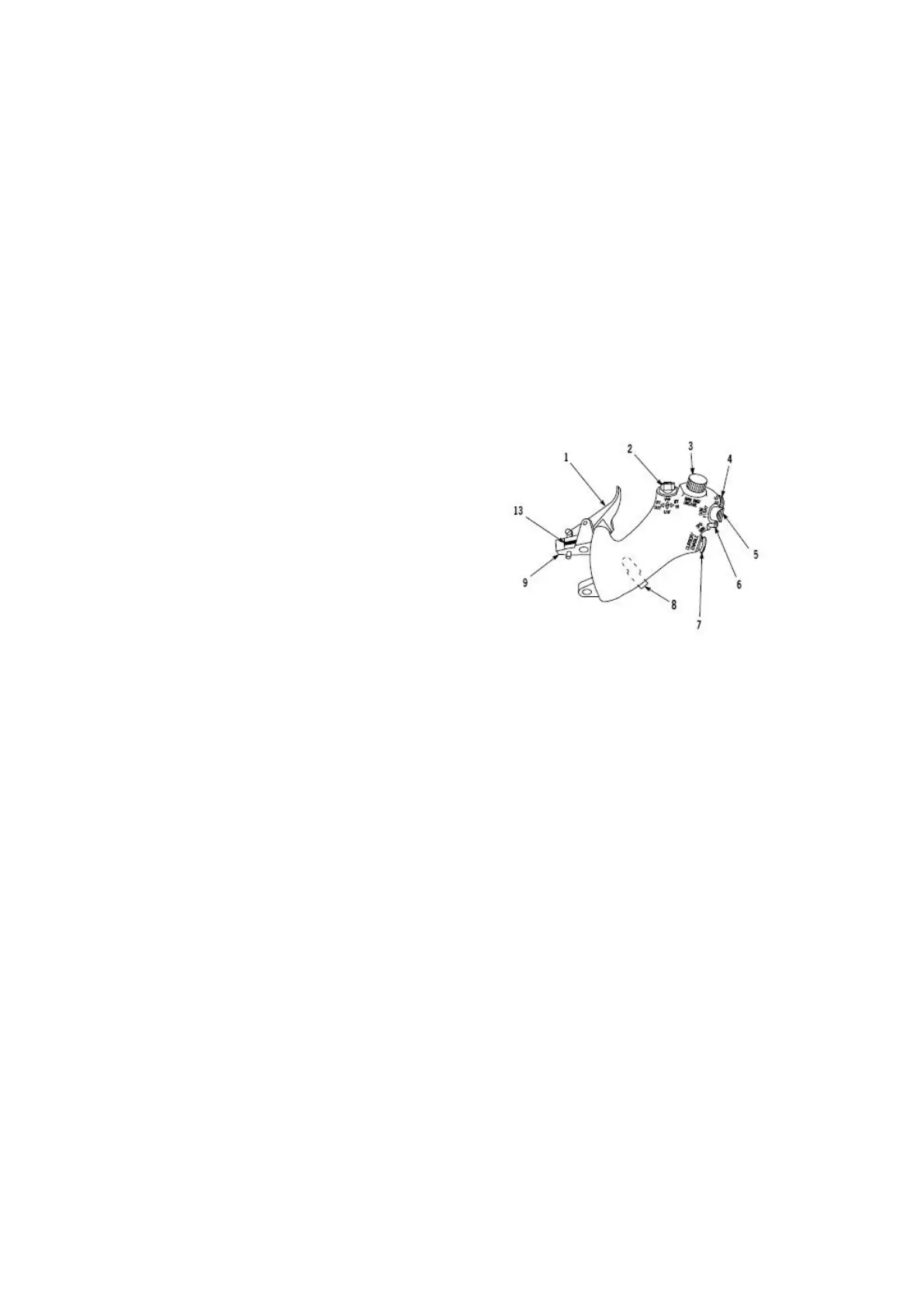
1. Cutoff release (wrongly called idle detent in BMS)
2. Comms switch (L & R = IDM, Up & Down = radio)
3. MAN RNG knob
4. ANTENNA knob
5. DOGFIGHT / MRM mode switch
6. SPEEDBRAKE switch
7. Cursors
8. HOBO switch (not implemented in F4)
Flying a simulator you can choose how you program
your HOTAS. We do advise you to use a program as
close as possible to the real F-16 HOTAS.
The two following images illustrate the relationship between the real throttle functions (A-G and A-A)
and the BMS callbacks (taken from the BMS -34)
BMS Key Callbacks for the throttle:
SimThrottleIdleDetentForward
SimThrottleIdleDetentBack
SimThrottleIdleDetent
SimTransmitCom1
SimTransmitCom2
SimCursorEnable
SimToggleMissileCage
SimSelectSRMOverride
SimSelectMRMOverride
SimDeselectOverride
AFBrakesOut
AFBrakesIn
AFBrakesToggle
SimCommsSwitchLeft
SimCommsSwitchRight
SimRadarCursorZero
SimCursorUp
SimCursorDown
SimCursorRight
SimCursorLeft
SimRangeKnobUp
SimRangeKnobDown
SimRadarElevationUp
SimRadarElevationDown
SimRadarElevationCenter



 To Next Page