T.O. BMS1F-16CM-1 BMS 4.34 Change 2.00
BMS 4.34 Dash 1
© Red Dog 2012-2019 Page: 77
12), SEAD IDM is 30 (31-32-33-34).
The first column is already full with your flight IDM and you only have 4 slots free in the second one.
One possible compromise could be to enter the Strike flight (11-12) in positions #5 & #6 and enter the
Lead and Element Lead of the SEAD flight (31-33) in positions #7 and #8. This is left to the pilot’s
discretion but it is important to set multi-package IDMs correctly to maintain good SA during COMAO.
Please note A-A IDM radar tracks are only received from IDM addresses in the first (left) column.
For further information please refer to the TO-BMS1F-16CM-34-1-1 IDM chapter.
1.3.16.12 MISC page (0)
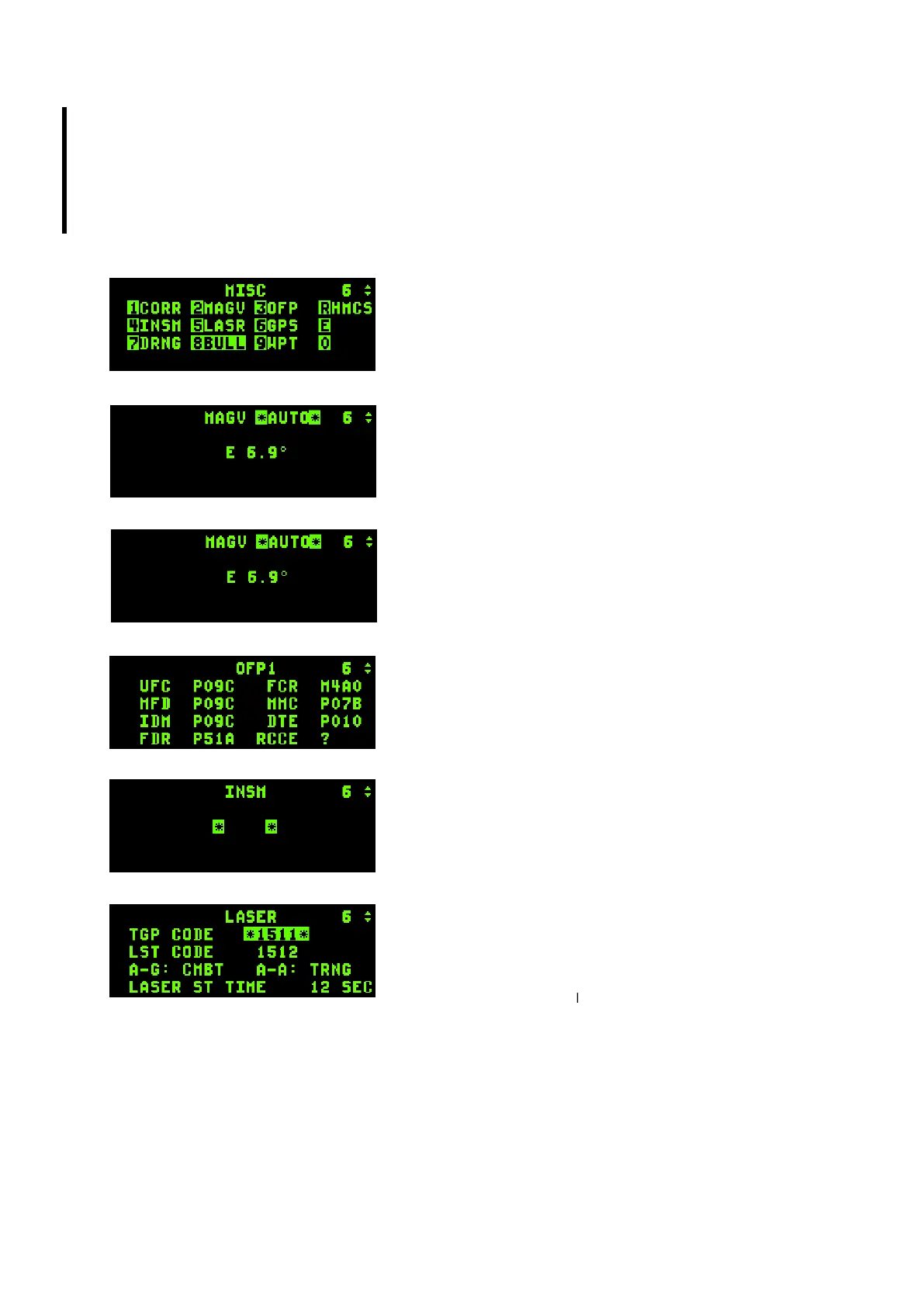
The MISC page leads to yet another list of submodes. The
principles of operation are the same as the LIST page:
depress the corresponding button listed on the MISC page to
access the subpage.
1.3.16.12.1. CORR page
Correction page is not implemented.
1.3.16.12.2. MAGV page
Displays the actual Magnetic Variation at this aircraft location.
It would be used to correct INS navigation errors should they
happen in BMS. At the moment this is done automatically by
the code.
1.3.16.12.3. OFP page
Operational Flight Program page is not implemented.
1.3.16.12.4. INSM page
Inertial Navigation System Memory page is not implemented.
1.3.16.12.5. LASER page
This page is used to set up the Laser system. It is made of 4
lines.
The first sets the TGP code which must match the targeting
laser pulse code of the weapon (set in the UI LOADOUT
screen). If the TGP CODE does not match the weapon code
the GBU will not guide and will fall ballistically. It is therefore
possible to conduct buddy lasing by inputting the weapon code of your wingman’s bombs. The second
line sets the Laser Spot Track code. The third line toggles the laser from Training to Combat mode
with any ICP button. The fourth line sets the laser timer. The targeting laser is fired for final weapon
guidance automatically before impact and is DTC loadable. It’s also more realistic in 4.34; you are now
advised to set it to 10 or 12 seconds for Paveway II bombs and perform manual lasing for Paveway III
bombs and moving targets as necessary. For further information please refer to the TO-BMS1F-
16CM-34-1-1 SNIPER XR ADVANCED TARGETING POD chapter.



 To Next Page