T.O. BMS1F-16CM-1 BMS 4.34 Change 2.00
BMS 4.34 Dash 1
© Red Dog 2012-2019 Page: 79
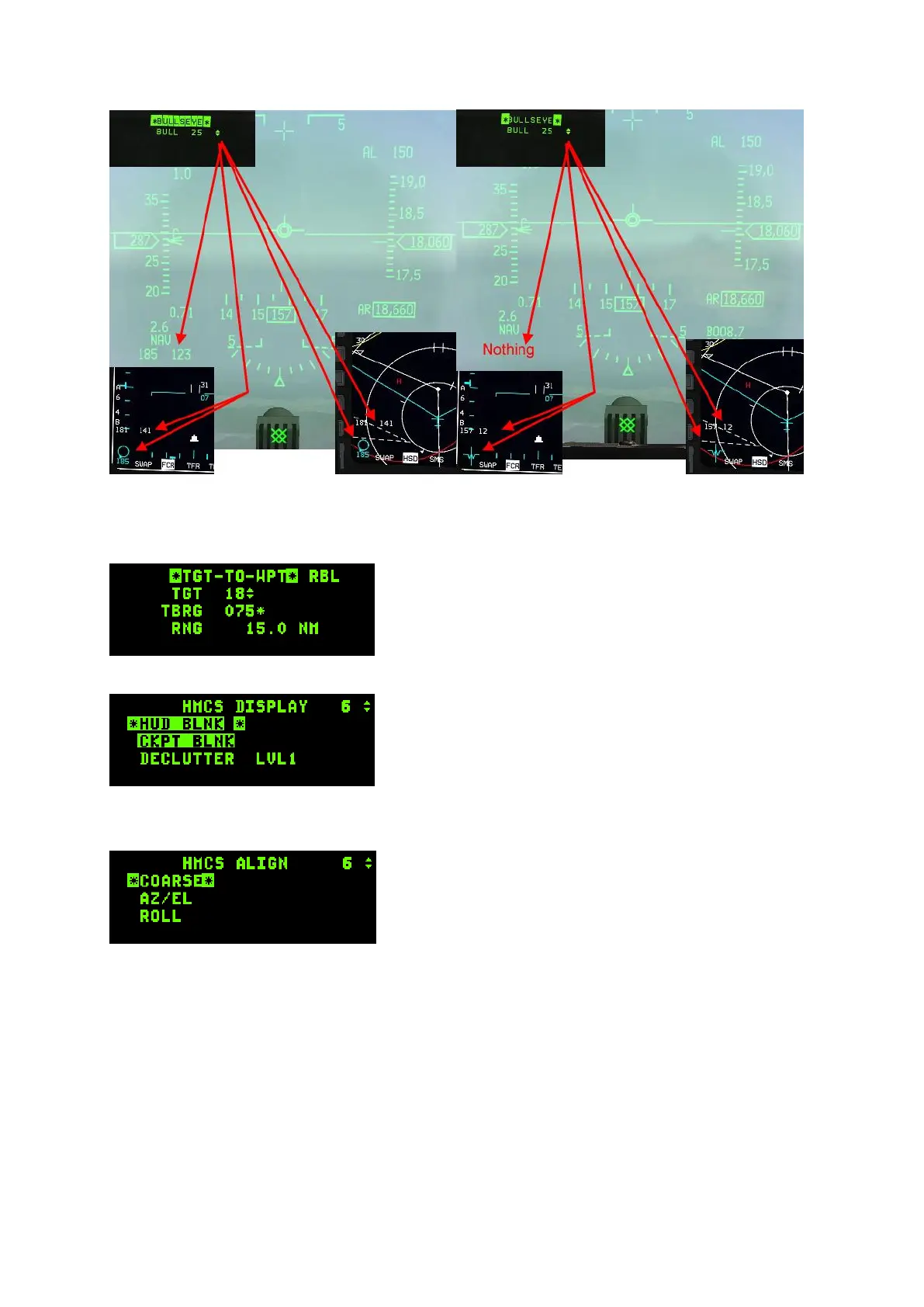
The left picture shows the HUD, FCR and HSD Bullseye symbols when BULLSEYE is mode selected;
the right picture shows the same elements when BULLSEYE is not mode selected.
1.3.16.12.9. WPT page
The TGT-TO-WPT page is made to control Harpoon
waypoints in RBL mode. Settings can’t be changed when
accessed from the LIST page.
1.3.16.12.10. HMCS page
The HMCS (Helmet Mounted Cueing System) display page
allows the pilot to control the HMCS (on supported aircraft).
The first line enables HUD blanking when mode selected.
The HMCS will not be displayed when looking at the HUD.
The second line enables blanking the HMCS when the pilot
looks inside the cockpit.
The third line allows a selection of three levels of de-clutter for the HMCS displays. Highlight that line
with DCS down and hit any ICP secondary button to change from level 1 to level 2 to level 3 to level 1.
If you depress the DCS to SEQ while in the HMCS display
page another subpage will be displayed, though it is not
implemented at this time.
Refer to the HMCS chapter in the TO-BMS1F-16CM-34-1-1
for further information about the HMCS displays &
capabilities.



 To Next Page