T.O. BMS1F-16CM-1 BMS 4.34 Change 2.00
BMS 4.34 Dash 1
© Red Dog 2012-2019 Page: 97
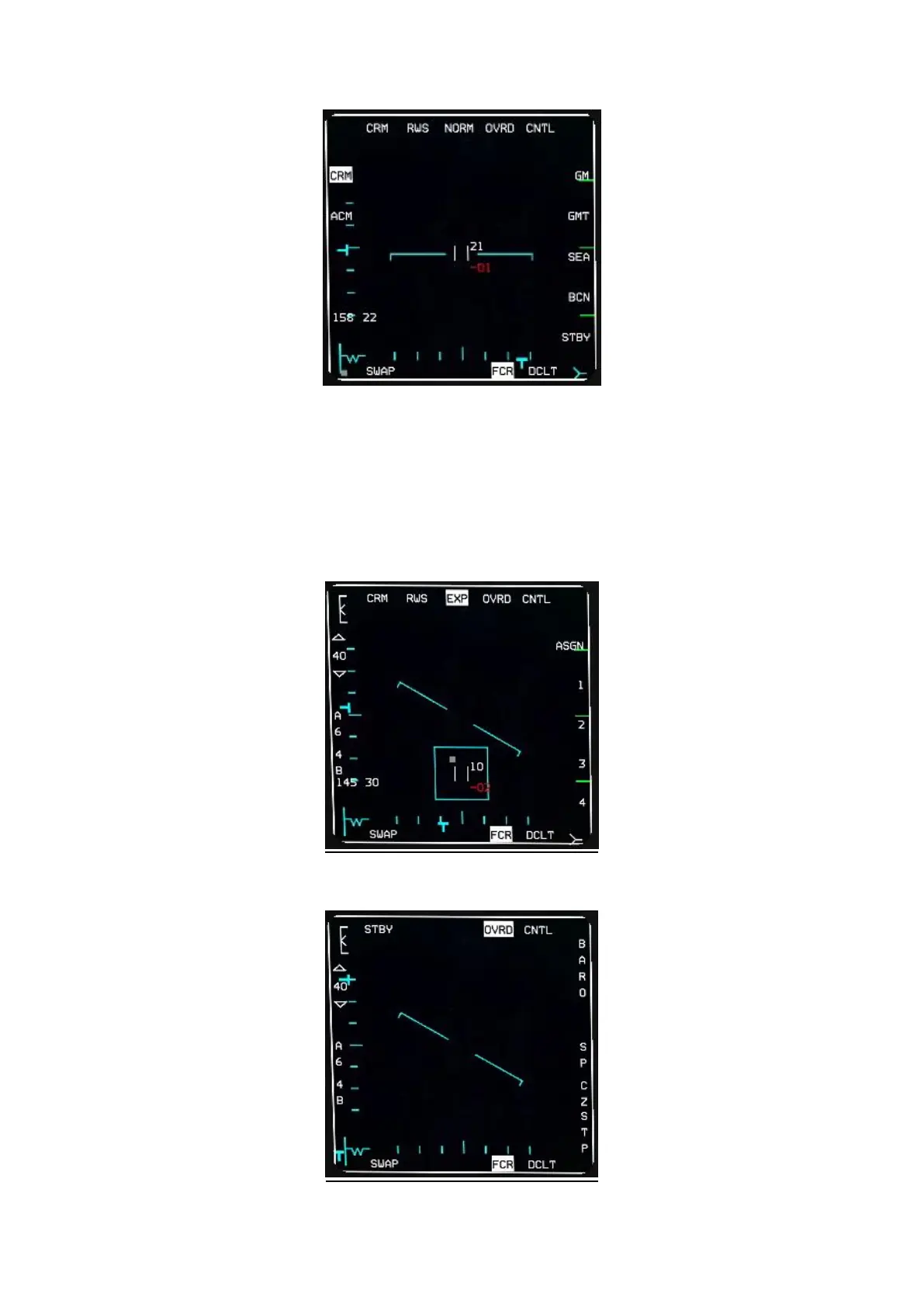
OSB#2 selects the corresponding submode.
If the FCR is in CRM the submodes are RWS (Range While Search), ULS (=LRS Long Range Scan),
VSR (=VS Velocity Search), TWS (Track While Scan).
If the FCR is in ACM the submodes are 20 (HUD), Slew, Bore, 60 (Vertical).
OSB #3 is FOV and is not available in all modes. It is displayed only when available and will toggle
between NORM and EXP. This can also be done with the pinky switch (S3) on your stick. When
toggled to EXP the area around the cursor is expanded and illustrated by the blue square drawn on
the MFD. The EXP label also flashes.
OSB #4 places the FCR in standby mode. All symbology is deleted from the MFD and OVRD is
highlighted. A further press on OSB #4 reverts back to operating mode.



 To Next Page