OZONE ANALYZER BMT 964 Manual, Rev. 04/2021
28
In order to create errors for this example the UV-lamp was switched on and off several times.
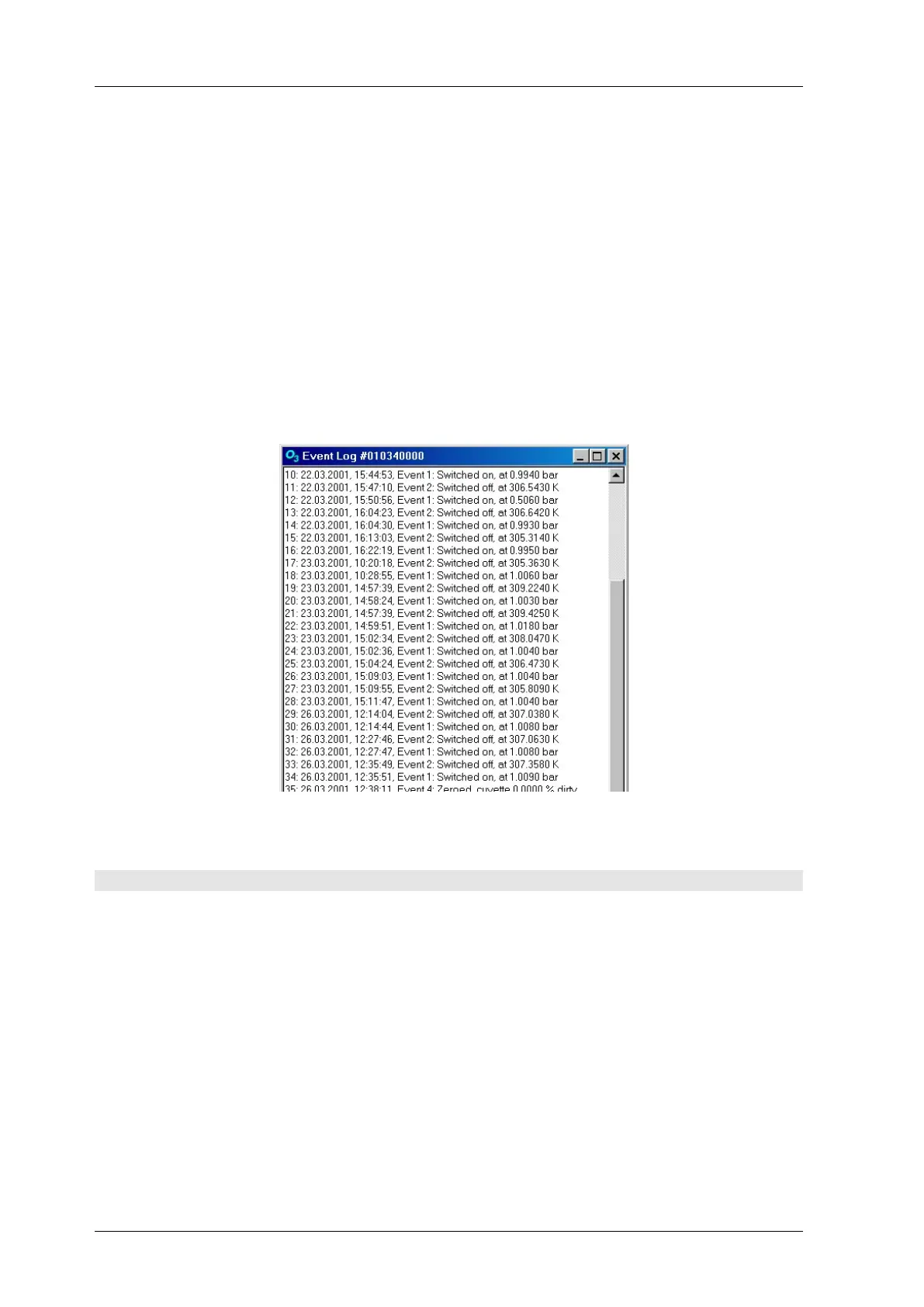
The Event-Log documents the following events and additional data:
Switching on of the BMT 964, cuvette pressure at this time
Switching off of the BMT 964, temperature at next switching on
Zeroing, dirtyness of cuvette in % (if changed more than 1 % from last EventLog record)
High Alarm, High Alarm Limit
High Alarm cleared, High Alarm Limit
Low Alarm, Low Alarm Limit
Low Alarm cleared, Low Alarm Limit
The next picture shows an Event-Log example as displayed by the program BMT 964 Link:
Error- and Event Log play an important role in troubleshooting.
12 The Program BMT 964 Link
On the CD which is delivered with the instrument you will find the Windows program
BMT 964 Link. It has been designed for Windows 95/98/ME/NT/2000/XP/Vista/7 & 8. For
installation of the program, simply unzip the ZIP archive if necessary, and execute the Installer
'setup.exe', then follow the descriptions on screen. See the file readme.txt on the CD for further
information.
The instrument’s serial interface has to be connected to one of the serial ports of a PC via a nor-
mal RS-232 cable (max. length 10 m) as delivered with the analyser. The configuration of the
communication parameters (Link Baud rate etc.) is set automatically.
Among other features, the software allows:
simple configuration of all parameters of the BMT 964. With a few mouse clicks you can
view respectively change e.g. the units of ozone concentration and pressure, alarm parame-


 To Next Page