▷ In the case of navigation data that is invalid,
outdated or not available.
▷ In areas not covered by the navigation sys‐
tem.
▷ When roads differ from the navigation, such
as due to changes in road routing.
▷ In case of electronic traffic signs.
▷ When passing buses or trucks with traffic
signs applied to them.
▷ If the traffic signs are non-conforming.
▷ When traffic signs that are valid for a parallel
road are detected.
▷ In the presence of country-specific road signs
and road configurations.
Selection lists
Concept
Lists can be displayed and, if necessary, used for
certain functions in the instrument cluster or the
Head-up Display.
▷ Entertainment source.
▷ Current audio source.
▷ List of most recent telephone calls.
If necessary, the corresponding menu will open
on the Control Display.
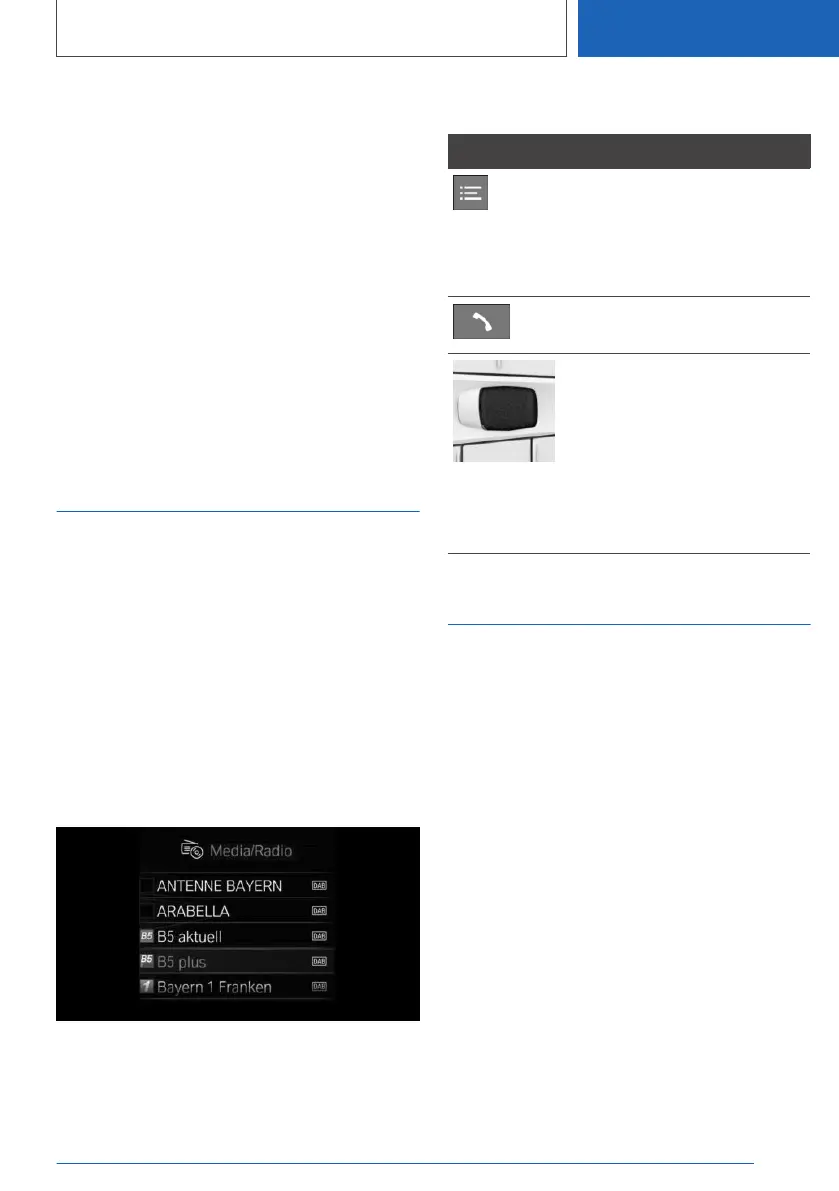
Display
Depending on the equipment version, the list in
the instrument cluster may differ from the illus‐
tration.
Displaying and using the list
Button Function
Change the entertainment
source.
Pressing the button again will
close the currently displayed
list.
Show list of most recent tele‐
phone calls.
Turn the thumbwheel to select
the desired setting.
Press the thumbwheel to con‐
firm the setting.
The currently selected list can
be displayed in the instrument
cluster by turning the thumb‐
wheel.
Trip data
Concept
Values for the trip, such as the average con‐
sumption or trip miles, are displayed.
General information
The trip data can be displayed on the Control
Display and in the instrument cluster.
The values can be displayed and reset depend‐
ing on various intervals, such as after refueling.
Display on the Control Display
Overview
The following information is displayed depending
on the equipment and the set interval and drive
mode:
▷ Configured interval for displaying trip data.
▷ Average fuel consumption depending on the
configured interval.
Seite 167
Displays
CONTROLS
167
Online Edition for Part no. 01405A2C7F8 - II/21





 To Next Page