▷ Average speed.
▷ Total time for shut off engine through the
Auto Start/Stop function.
▷ Distance traveled in Coasting mode.
▷ Consumption history in form of a chart.
Displays
1. "CAR"
2. "Driving information"
3. "Trip data"
Consumption history
The average consumption is shown in the con‐
sumption history in form of a chart based on the
distance traveled and the driving mode.
Display in the instrument cluster
Depending on the equipment, information about
the route can be displayed as widget in the in‐
strument cluster.
The following information is displayed:
▷ Total mileage.
▷ Configured interval for displaying trip data.
▷ Distance traveled depending on the config‐
ured interval.
▷ Average speed.
Selecting and setting widgets in the instrument
cluster.
Additional information:
Widgets, refer to page 154.
Adjusting the display of the trip
data
The intervals for the display of the trip data in the
instrument cluster and on the Control Display are
adjustable.
1.
"CAR"
2. "Driving information"
3. "Trip data"
4. "Data since"
5. Select the desired setting:
▷ "Start of trip ( )": the values are automati‐
cally reset approx. four hours after the ve‐
hicle has come to a standstill.
▷ "Refueling ( )": the values are automati‐
cally reset after refueling with a larger
quantity of fuel.
▷ "Factory": Average consumption
since delivery from the factory.
The values since the time of the factory
delivery are displayed.
▷ "Individual ( )": the values since the last
manual reset are displayed. The values
can be reset at any time.
Resetting average values
manually
The following interval can be reset manually at
any time: "Individual ( )".
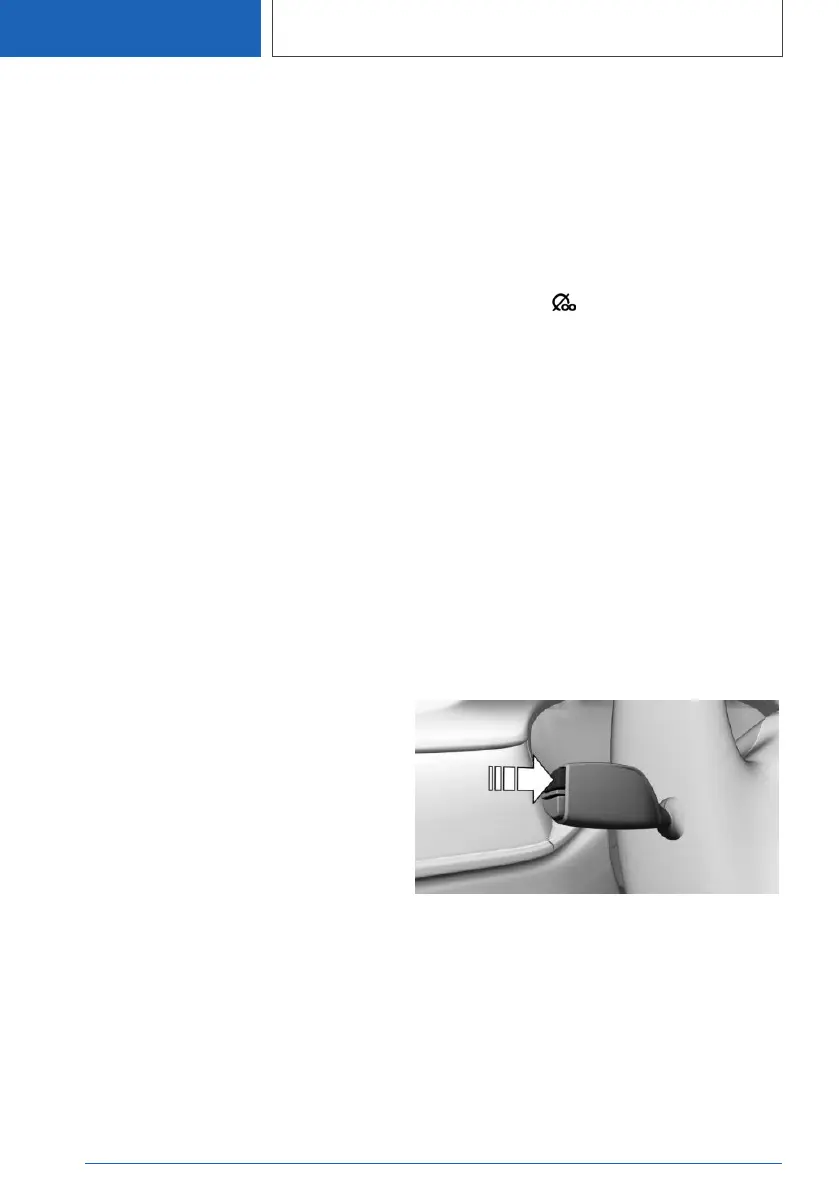
With the button on the turn signal lever:
1.
Continue to press the button on the turn sig‐
nal lever until the widget for the trip data is
selected.
2. Press and hold the button on the turn signal
lever.
Via iDrive:
1.
"CAR"
2. "Driving information"
3. "Trip data"
4. "Data since"
5. "Reset individual"
Seite 168
CONTROLS
Displays
168
Online Edition for Part no. 01405A2C7F8 - II/21









 To Next Page