With Parking Assistant
Plus: Surround View
Concept
The system provides assistance in parking and
maneuvering. The area around the vehicle is
shown on the Control Display.
General information
Several cameras capture the area from different
selectable perspectives.
The following camera perspectives can be dis‐
played:
▷ Automatic camera perspective: the system
shows the camera perspective suitable for
the respective driving situation.
▷ Rearview camera: for representing the areas
behind the vehicle.
▷ Right-hand and left-hand side view: for repre‐
senting the areas on the sides of the vehicle.
▷ Unobstructed camera perspective, movable
via iDrive.
▷ Panorama View: to present cross traffic, for
instance at junctions and driveways, depend‐
ing on the currently engaged gear.
Depending on the view, the vehicle's surround‐
ings or a part of it is depicted.
Additionally, assistance functions are shown in
the display, e.g., help lines.
More than one assistance function can be active
at the same time.
Some assistance functions can be manually acti‐
vated.
The following assistance functions are automati‐
cally displayed:
▷ Side parking aid.
▷ Door opening angle.
Safety information
Warning
The system cannot serve as a substitute for the
driver’s personal judgment in assessing the
traffic situation. There is a risk of accident. Ad‐
just driving style to traffic conditions. Watch
traffic and vehicle surroundings closely and ac‐
tively intervene where appropriate.
Overview
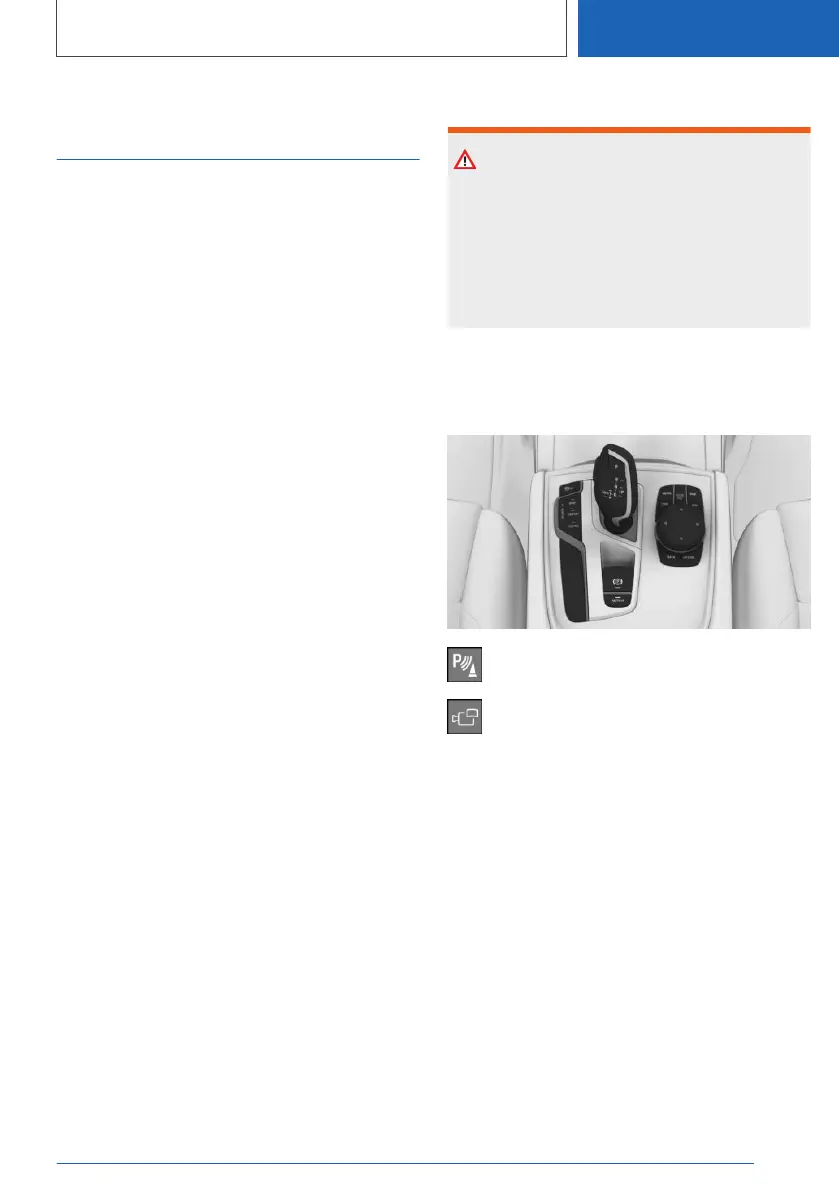
Buttons in the vehicle
Park assistance button
Panorama View
Sensors
The system is controlled by the following sen‐
sors:
▷ Front camera.
▷ Top view cameras.
▷ Rearview camera.
Additional information:
Sensors of the vehicle, refer to page 35.
Seite 253
Driver assistance systems
CONTROLS
253
Online Edition for Part no. 01405A2C7F8 - II/21







 To Next Page