Hold down button 2 until
the first number you want
to change in the date 3 is
underscored.
Short-press button 2 to set the
number.
Hold down button 2 until the
next number is underscored.
Press and hold down button 2
until the underscore disap-
pears.
This completes the process.
The settings you made are ac-
cepted.
Adjusting display
brightness
Switch on operational readi-
ness ( 40).
Entering Setup menu ( 48).
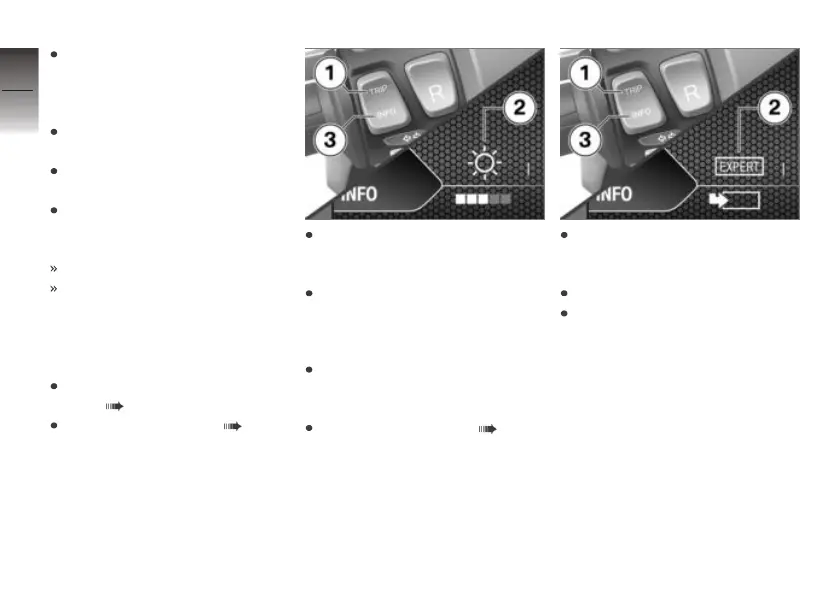
Repeatedly short-press but-
ton 1 until desired symbol 2 is
selected.
Use button 3 to adjust display
brightness.
Calling up Expert menu
Make sure the ground is level
and firm and place the E-
Scooter on its stand.
Entering Setup menu ( 48).
Repeatedly short-press but-
ton 1 until symbol 2 is selec-
ted.
Long-press button 3.
Long-press button 1 to return
to the Setup menu.
Expert menu
Function description
You can switch certain functions
on and off and change formats
and units of measure in the Ex-
pert menu.
All the parameters you set in the
Expert menu have effects on the
multifunction display.
4
50
z
Operation



 To Next Page