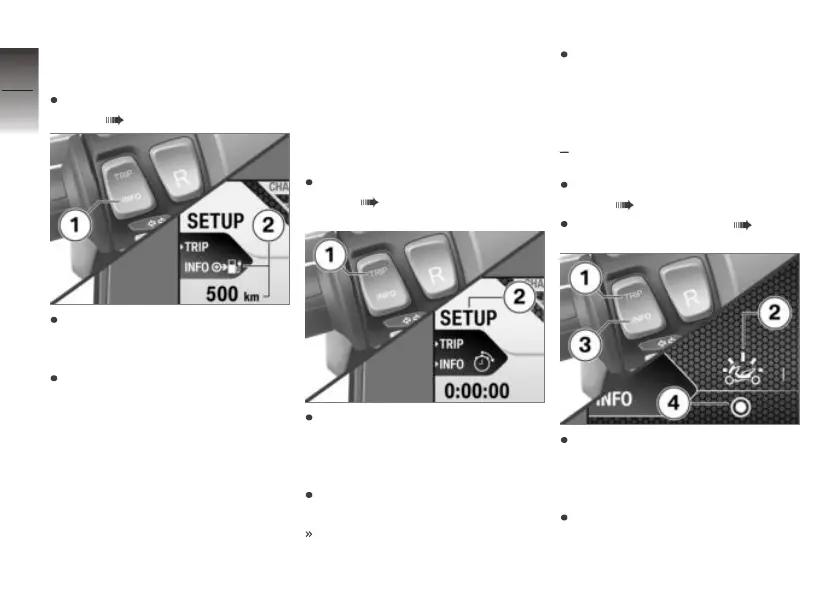
Resetting the average
values
Switch on operational readi-
ness ( 40).
Repeatedly press button 1
briefly until the desired value
is displayed.
Press and hold down button 1
until the reading in field 2 is
reset.
Setup menu
Entering Setup menu
Requirement
The Setup menu is available only
when the vehicle is at a standstill.
Switch on operational readi-
ness ( 40).
To enter the Setup menu,
repeatedly short-press but-
ton 1 until Setup appears
in panel 2.
Long-press button 1 to call up
the Setup menu.
Process completed.
Long-press button 1 to exit the
Setup menu.
Operating the anti-theft
alarm
with alarm system (DWA)
OE
Switch on operational readi-
ness ( 40).
Entering Setup menu ( 48).
Repeatedly press button 1
briefly until the symbol 2
for the anti-theft alarm is
displayed.
Press button 3 briefly to switch
on the anti-theft alarm.
4
48
z
Operation



 To Next Page