Basic Operation
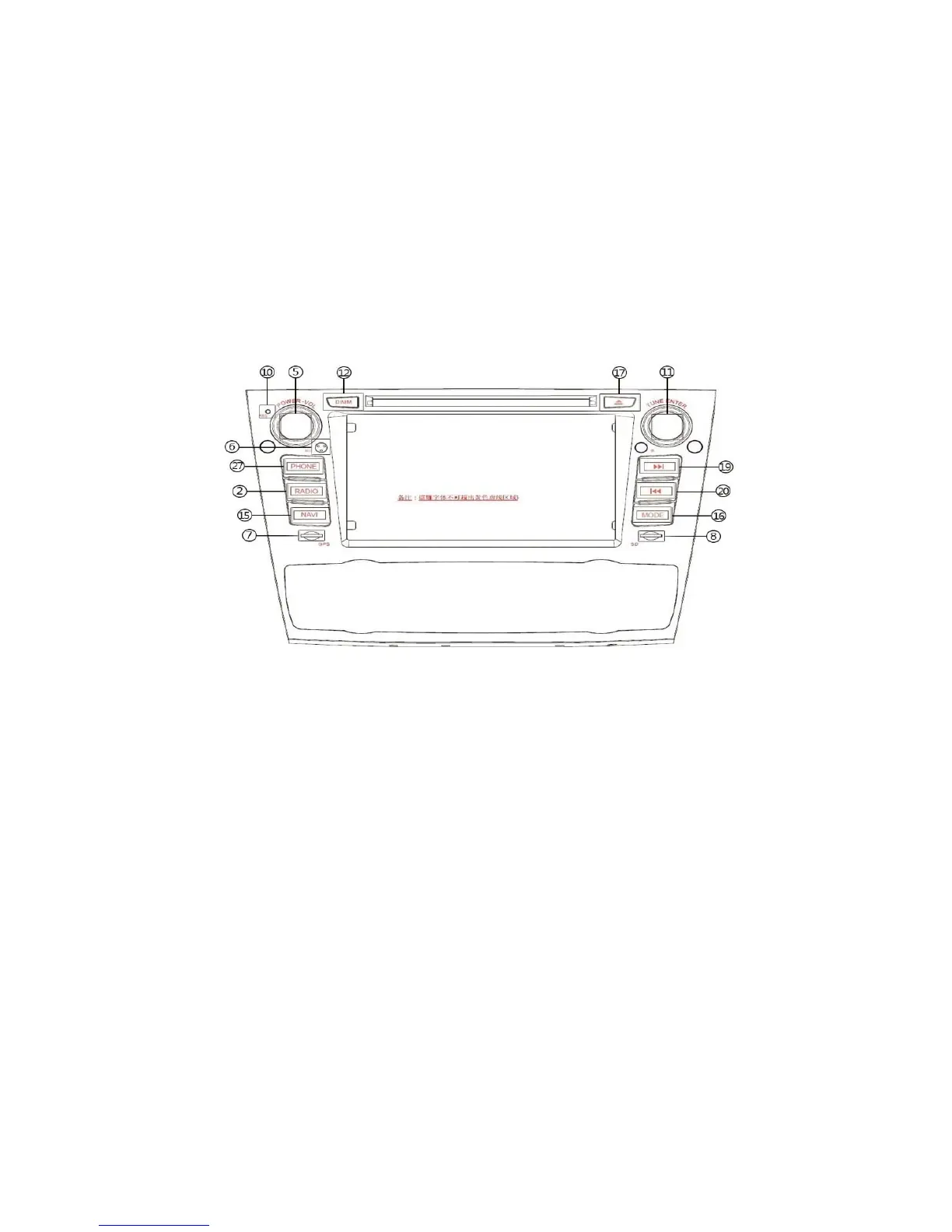
1.Power On/Off 2.SD: Press this button enter SD interface
3.USB: Press this button enter USB interface 4.FM: Press this button enter FM interface
5.Knob for voice 6.Micphone for bluetooth
7.GPS SD card slot (Navigation & Entertainment); 8.SD card slot(6.2/FORD GPS SD)
9.AM:Press this button enter AM interface 10.Reset 11.Pause/play/Select
15.NAVI Press to switch between navigation mode and the previous play mode;
16.SCR: function switch 17.Enter/Eject;Press to enter/eject the disc; 18.Disc entry/exit
19.Next
Press this key in DVD/SD/FM/USB mode to select the next chapter/music; long press in to play fast forward;






 To Next Page