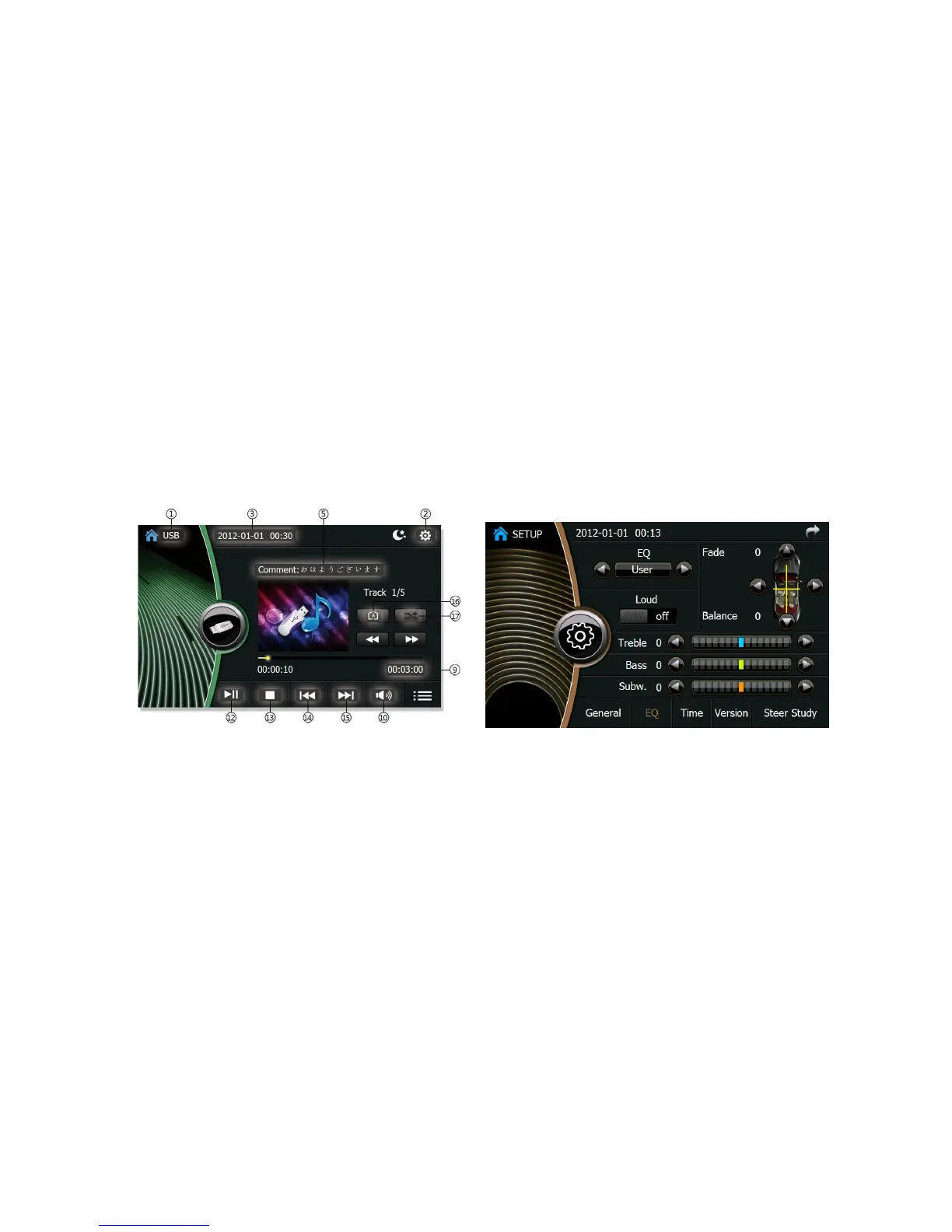
4. Disc USB/CD plays
(1)USB/CD/WMA disc
Open the TFT screen, and put the disc slightly into the disc entry. The disc is sucked into the device automatically, then, the TFT screen
is drawn up to the proper position for the normal play. The disc is read thereafter, and USB/CD play interface appears. You select the
music directly form the interface, or input the number by clicking the number keyboard on the right side of the screen to play.
USB player Interface EQ MENU Interface
Picture 3 Picture 4






 To Next Page