117
Practical interior accessories
Controls
Convertible:
Cargo loading
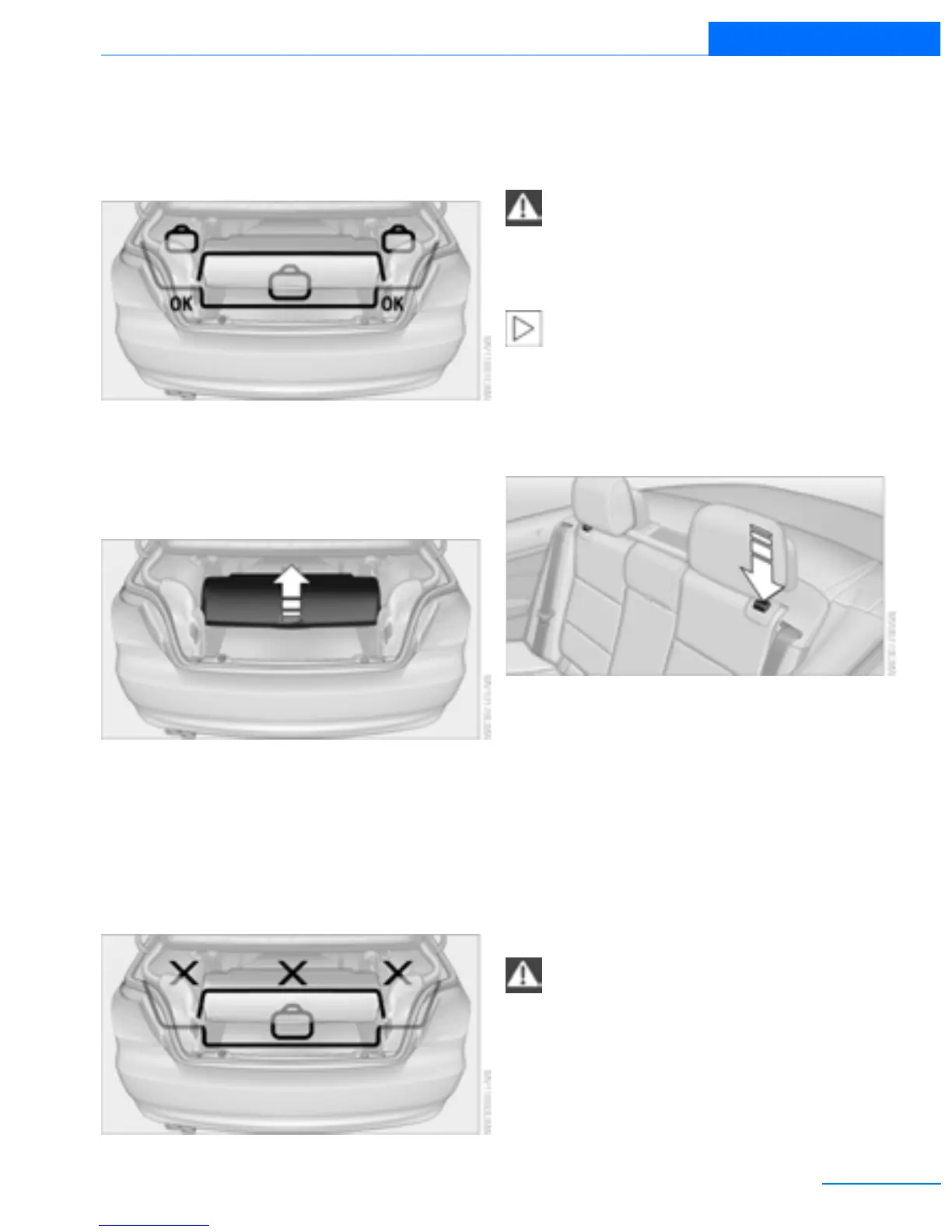
Hardtop closed
When the hardtop is closed, objects can be
placed in the area below and near the cargo
area cover.
Enlarging the trunk
When the hardtop is closed you can enlarge the
trunk:
To do so, push the trunk partition upward.
Hardtop opened
Before opening the hardtop, push the trunk par-
tition down until it engages on both sides.
When the hardtop is open, objects can be
placed under the cargo area cover. Do not place
objects in those areas on the figure that are
marked with an X.
Before moving the hardtop, ensure that
there are no objects on or next to the
trunk partition; otherwise, parts of the hardtop
may be damaged. Do not use force to push
down the trunk partition.<
The retractable hardtop can only be
opened if the trunk partition is in its lower-
most position and engaged on both sides.<
Folding down the rear seat backrest
Opening
You can fold down the rear seat backrest to
transport light objects in the rear without dam-
aging the seats. Depending on the vehicle
equipment, the mounting points for the trunk
net are found on the rear panel of the backrest.
To unlock the rear seat backrest: press the but-
ton on the driver's or the opposite side.
Closing
Return the rear seat backrest to the upright
seating position and engage it.
When returning the backrest to its seating
position, make sure that the seat's lock-
ing mechanism engages properly. Otherwise,
cargo could be thrown around in the event of
sharp braking or swerving and endanger the
occupants.<
Online Edition for Part no. 01402918638 - © 02/13 BMW AG



 To Next Page