80
Controls Controls overview
Possible displays
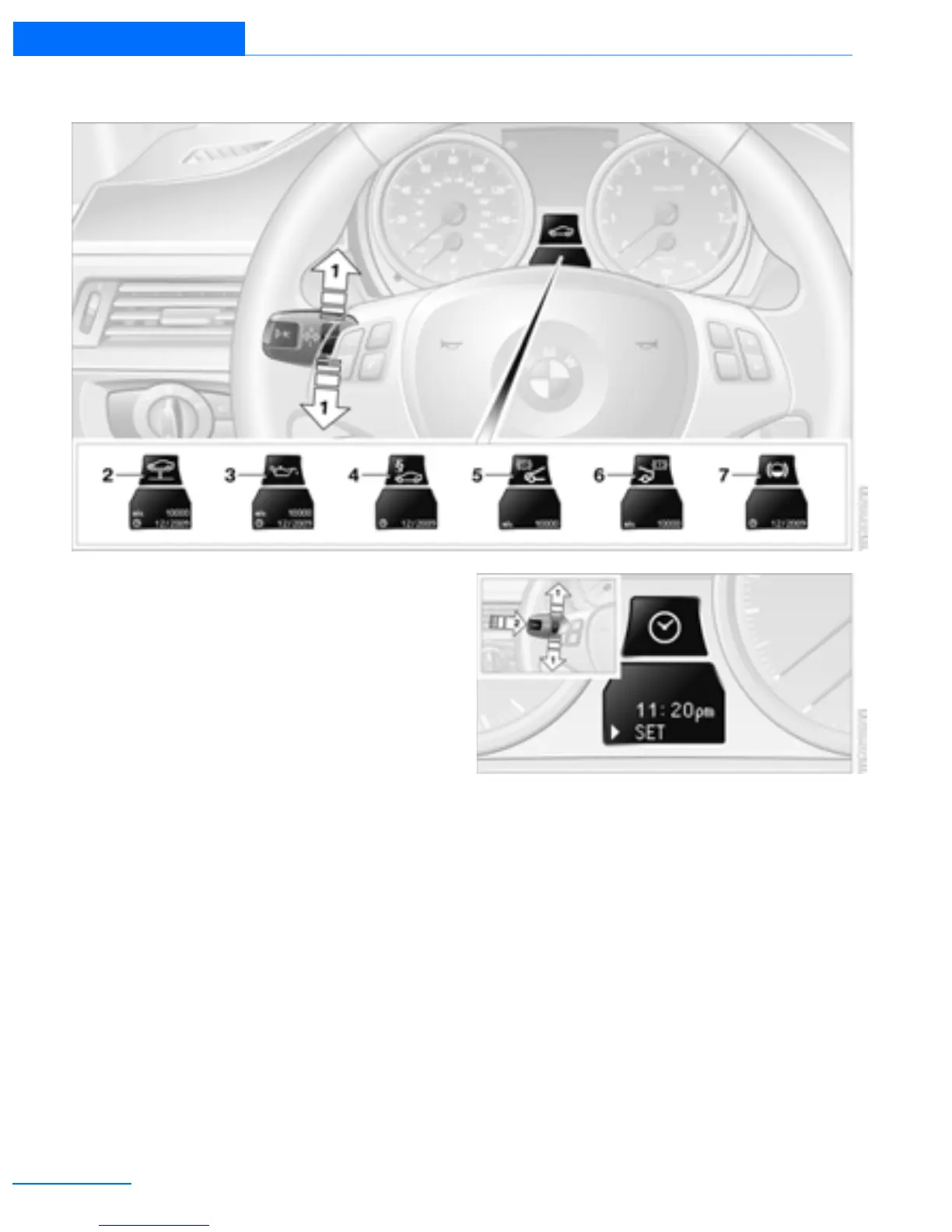
1 Button for selecting functions
2 Service requirements
3 Engine oil
4 Roadworthiness test
5 Front brake pads
6 Rear brake pads
7 Brake fluid
The sequence of displayed service items may
vary. The data for the next service appointment
is shown first.
Clock
Setting the time
To set the 12h/24h mode, refer to Formats and
units of measure on page 78.
1. Push button 1 in the turn signal/high beam
lever up or down repeatedly until the appro-
priate symbol appears in the display,
accompanied by the time and the word
"SET".
2. Press button 2.
3. Use button 1 to set the hours.
4. Press button 2 to confirm the entry.
5. Use button 1 to set the minutes.
6. Press button 2 to confirm the entry.
7. Press button 2.
The system accepts the new time.
Online Edition for Part no. 01402918638 - © 02/13 BMW AG



 To Next Page