156
Communications Te l ep h o n e
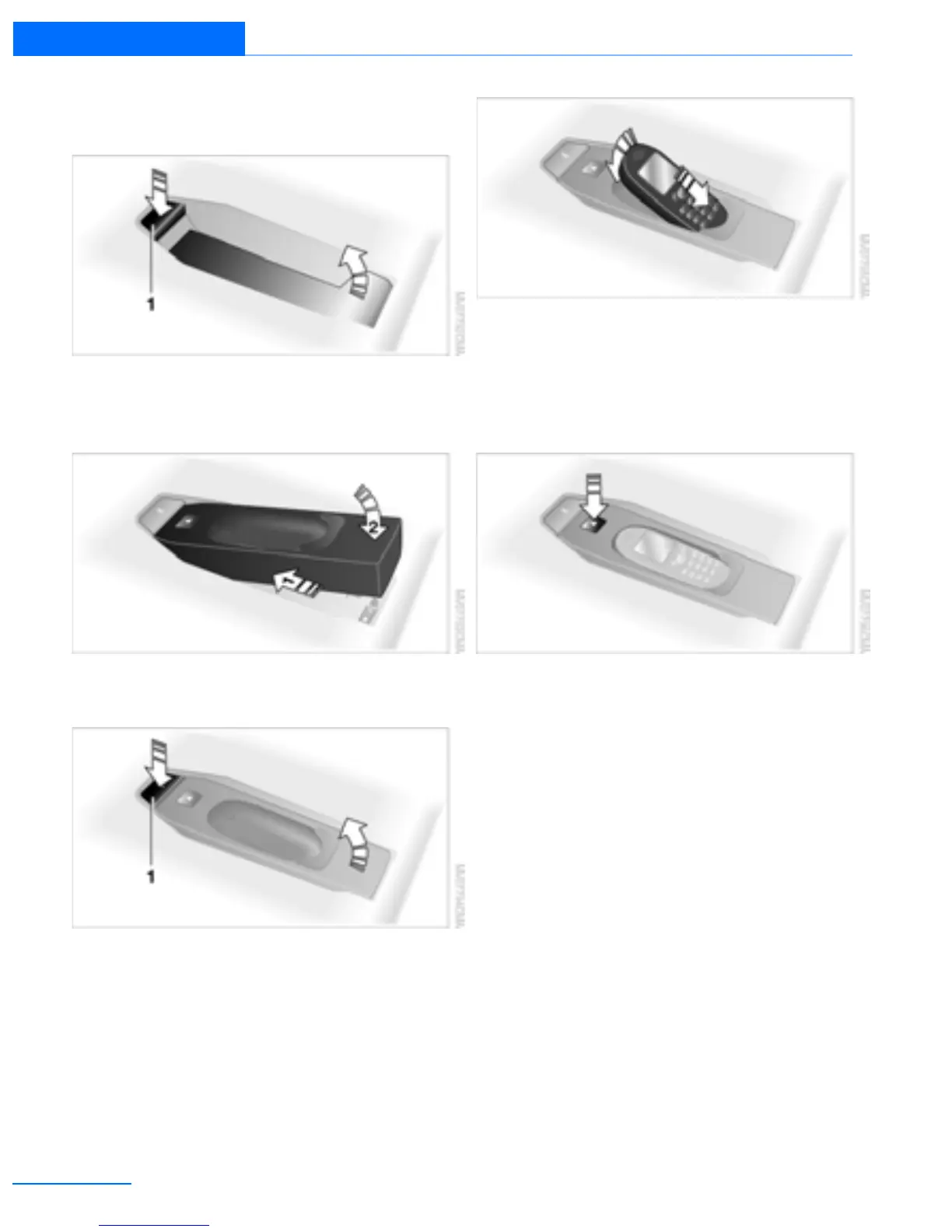
Inserting/removing snap-in adapter
1. Press button 1 and remove the cover.
2. Insert the snap-in adapter at the front,
arrow 1, and press downward, arrow 2, until
it clicks into place.
3. To remove the snap-in adapter, press the
button 1.
Inserting/removing mobile phone
1. Depending on the mobile phone, remove
the protective cap from the mobile phone's
antenna connector so that the mobile
phone can engage in the snap-in adapter.
2. Push the mobile phone with the buttons
facing upward toward the electrical connec-
tions and press down until it engages.
With the vehicle in radio readiness and above,
the battery is charged, refer to charging symbol
on the mobile phone.
To remove the mobile phone:
Press the button.
Online Edition for Part no. 01402918638 - © 02/13 BMW AG



 To Next Page