77
Controls overview
Controls
To start the calculation of the average speed:
1.
Press the button.
2.
Press the button.
The previous display is set to zero and the
system begins to recalculate the average
speed.
Cruising range
"RANGE"
The display shows the estimated distance that
can still be driven with the existing fuel quantity,
taking into account the prior average fuel con-
sumption.
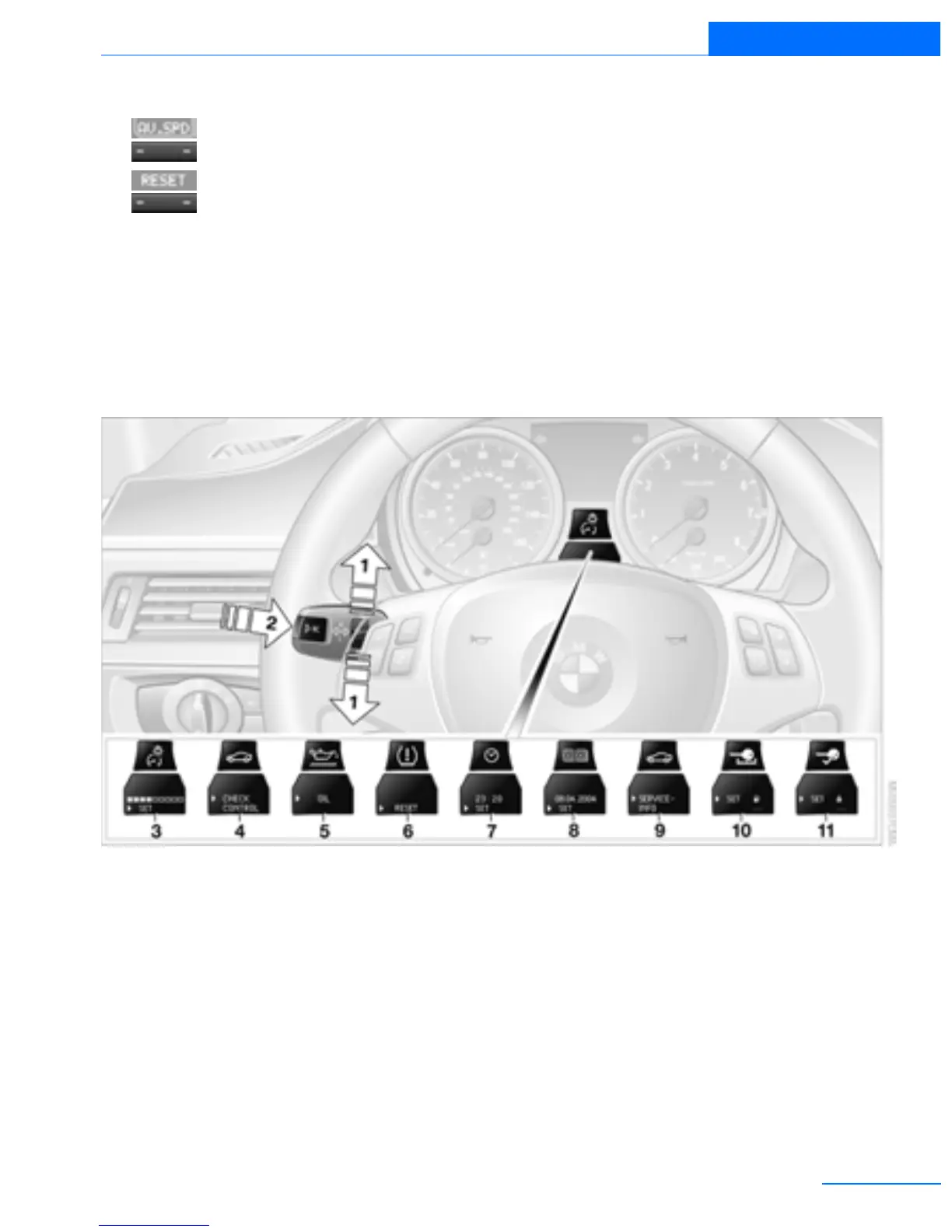
Settings and information
Operating principle
Certain settings and information can only be
called up when the ignition is switched on. A
number of settings cannot be made while driv-
ing.
1 Button for:
> Selecting display
> Setting values
2 Button for:
> Confirming selected display or set val-
ues
> Calling up computer information 76
3 When the lights are on: instrument lighting
brightness 100
4 Calling up Check Control 81
5 Checking oil level 188
6 Initializing the Flat Tire Monitor 87
Resetting the Tire Pressure Monitor 89
7 Setting the time 80
8 Setting the date 81
9 Viewing service requirement display 79
10 Setting formats and units of measure,
resetting to factory settings 78
Online Edition for Part no. 01402918638 - © 02/13 BMW AG



 To Next Page