146
Communications Te l ep h o n e
Telephone
Vehicle equipment
In this chapter, all production, country, and
optional equipment that is offered in the model
range is described. Equipment is also described
that is not available because of, for example,
selected options or country version. This also
applies to safety related functions and systems.
Overview
Note
Your BMW is equipped with a full preparation
package mobile phone or hands-free system.
The concept
Mobile phones can be connected to the vehicle
through Bluetooth.
After a suitable mobile phone is paired with the
vehicle once, the mobile phone can be con-
trolled via the radio, the buttons on the steering
wheel, and by voice.
Bluetooth® is a registered trademark of Blue-
tooth® SIG, Inc.
Only make entries when traffic conditions
permit. Do not hold the mobile phone in
your hand while you are driving; use the hands-
free system instead. If you do not observe this
precaution, your being distracted can endanger
vehicle occupants and other road users.<
Snap-in adapter
The snap-in adapter, refer to page 155, makes
it possible to:
> Accommodate the mobile phone.
> Recharge its battery.
> Connect it to an external antenna of the
vehicle.
This assures a better network connection
and constant sound quality.
A mobile phone that is connected to the vehicle
should not be operated via the mobile phone
keypad; otherwise, malfunctions may occur.
Suitable mobile phones
For precise information about which mobile
phones with a Bluetooth interface are sup-
ported by the complete mobile phone prepara-
tion package, go to www.bmwusa.com/blue-
tooth.
Notes
At high temperatures, the charging function of
the mobile phone may be limited and some
functions may no longer be carried out.
When using the mobile phone via the vehicle,
follow the instructions given in the owner's
manual for the mobile phone.
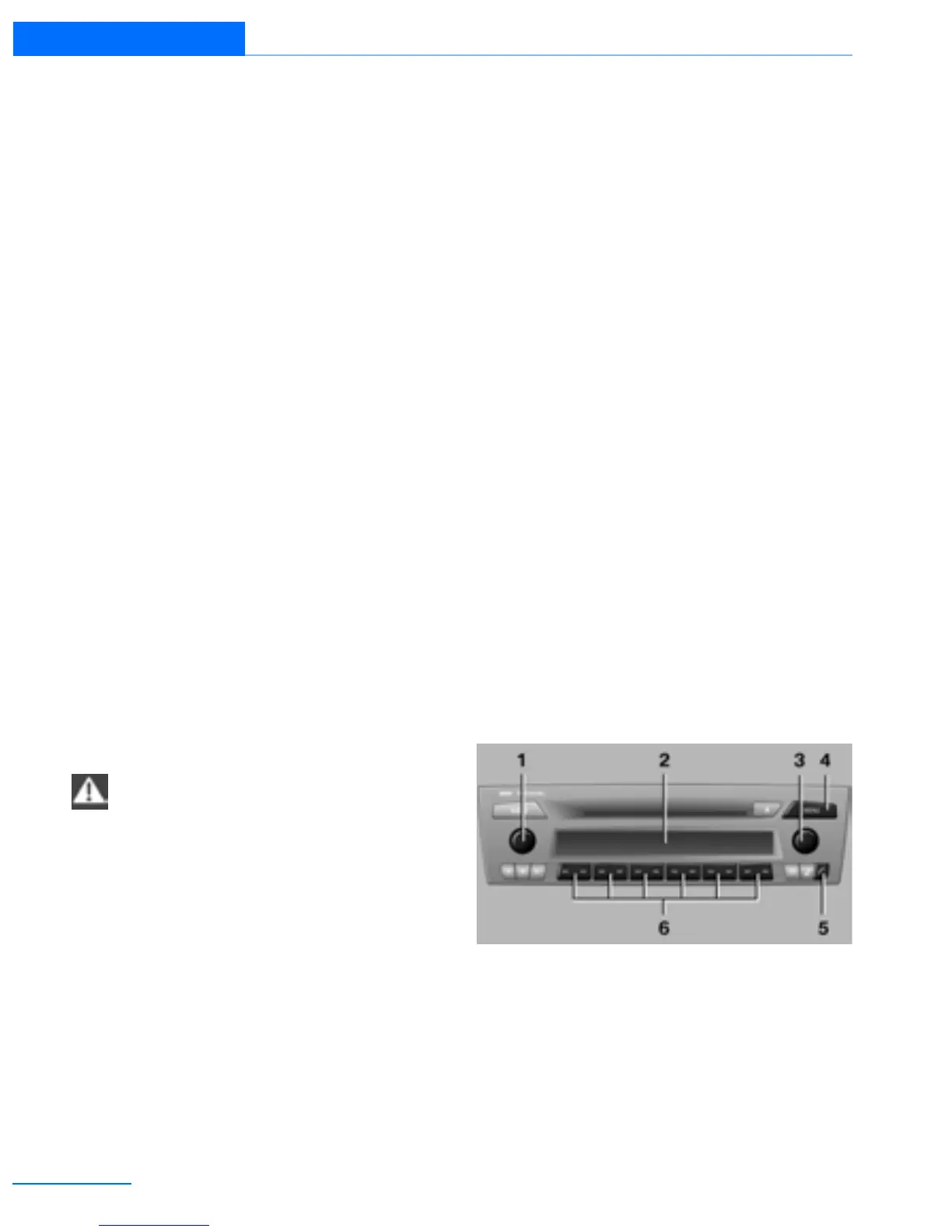
Controls
1 Volume control ON/OFF.
> Press: switching radio on/off
> Turn: adjusting volume 150
2 Display
Online Edition for Part no. 01402918638 - © 02/13 BMW AG



 To Next Page