Copyright © by BOA Warenhandels-GmbH ● Germany
Rev 0, Stand: 01 / 2007
30
12. Do not put or store the disc in the following environments: directly sunlight, in moist or dusty environments
or besides heating elements.
Features
DVD features
The unit provides multi-media, high resolution images with high quality surround sound effects.
1. It is compatible to DVD, VCD, Super-VCD, DVCD, CD, Mp3, USB, etc.
2. Multi-language option on screen menu.
3. High quality images with over 500 lines horizontal resolution.
4. Last memory function.
Other features
1. Multi-language support. DVD supports up to 32 language captions.*
2. Multi-angle. Users can select different viewing options of their choice. E.g. close angle, full view, etc.
Multi-image ratio. This enables to match the image to different screens.*
* Not supported by all DVDs.
Product description
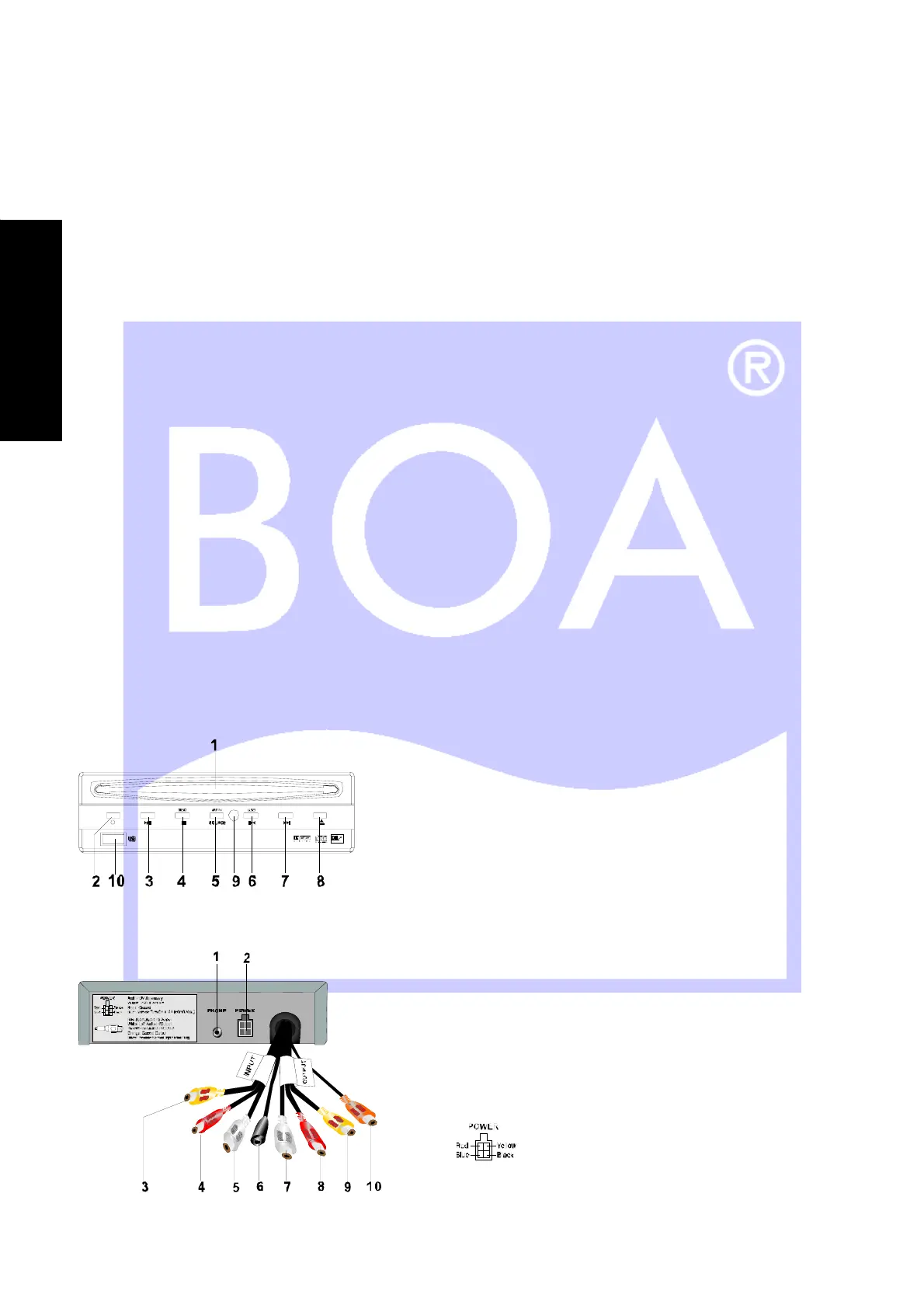
Front panel
Rear panel
1. Disc slot
2. Power LED
3. Play / Pause
4. Stop / Disc
5. Source / AV IN
6. USB
7. Next
8. Eject
9. Remote Control Sensor
10. USB Connection
Red: 12 V Accessory
Yellow: 12 V Constant
Black: Ground
Blue: Remote turn on, +12 V, 500 mA max.
1. Headphone jack
2. Power harness input
3. Video IN (yellow)
4. Audio-R IN (red)
5. Audio-L IN (white)
6. External Remote Sensor Input (black)
7. Audio-L OUT (white)
8. Audio-R OUT (red)
9. Video OUT (yellow)
10. Di
ital Coaxial
oran
e
E
N
G
L
I
S
H


 To Next Page