Getting Started
Several steps should be taken before the Bomgar hardware is delivered and installed:
1. Allocate the necessary rack space for the appliance. Ensure the space has the necessary power and network access.
2. Reserve a static IP address for the appliance on the network. Refer to the following guides in order to reserve the correct IP
address(es):
l Bomgar Appliance in the Network - www.bomgar.com/docs/remote-support/getting-started/deployment/dmz
3. Configure a DNS A-record for the fully qualified domain name (FQDN) of your new site (e.g., support.example.com).
Note: A private DNS A-record resolving to the static IP address of the appliance will always be necessary. A public A-
record and public IP will also be required if clients on public, external networks will need access to the appliance.
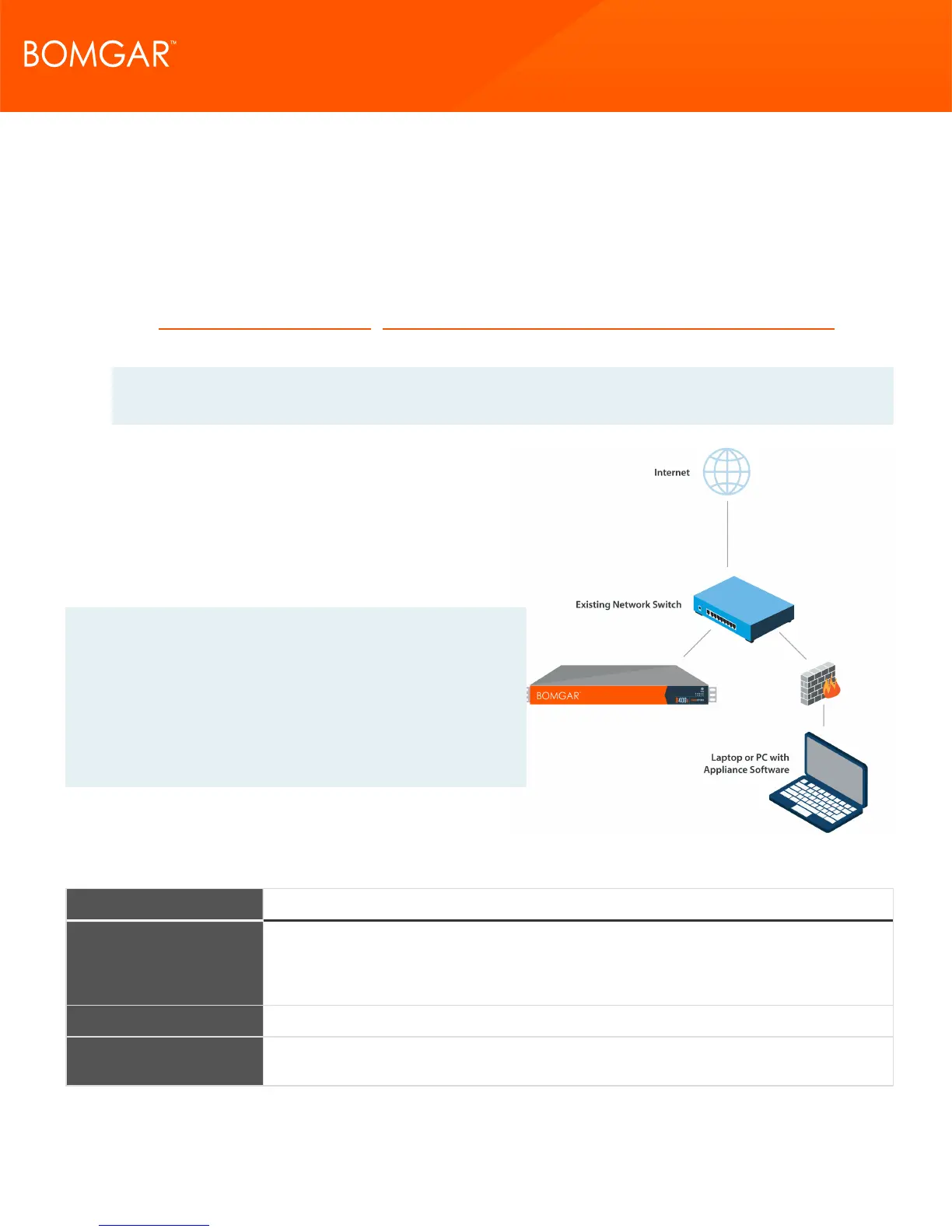
Although your appliance can function anywhere in your network
as long as the appropriate users and machines can reach it, you
will need to decide where in your network you plan to install the
appliance prior to this step. If you are going to access systems
outside of your network, Bomgar recommends placing your
appliance in a DMZ or outside of your internal firewall. See the
table below for more details. For assistance with your firewall
configuration, please contact the manufacturer of your firewall
software.
Note: If you must move the appliance to another location to
connect it to the internet, you will need to power down before you
unplug it from its power source. If you can log into the /appliance
administrative interface, go to the Status > Basics page and click
Shut Down This Appliance. Manual shut down is possible if you
press and release the power button one time. Wait 60 seconds for
the appliance to power down before unplugging the Bomgar
Appliance from the power source. When you reconnect the
appliance at the new location, you will need to power up again.
Network Location Advantages/Disadvantages
Outside your firewall
Does not require that ports 80 and 443 be open inbound for TCP traffic on your firewall. Simplifies
the setup process significantly because both the representative and customer clients are built to
resolve to a specific DNS; if your registered DNS resolves to a public IP address directly assigned
to your appliance, no additional setup is required by you to initiate a session.
DMZ May require additional setup depending on your router or routers.
Inside your firewall
Requires port forwarding on your firewall and possibly additional setup of your NAT routing and
internal DNS.
Network Location Considerations for Bomgar Appliances
CONTACT BOMGAR info@bomgar.com | 866.205.3650 (US) | +44 (0) 1628 480 210 (UK/EMEA) BOMGAR.COM 5
© 2017 Bomgar Corporation. All rights reserved worldwide. BOMGAR and the BOMGAR logo are trademarks of Bomgar Corporation; other trademarks shown are the property of their respective owners. TC: 1/11/2018
REMOTE SUPPORT APPLIANCE INSTALLATION



 To Next Page