Initial Network Configuration During Appliance Setup
Before deploying the Bomgar Appliance on your network, you must set up
its network configuration. This is done by accessing the Bomgar Appliance
administrative interface from a web browser on your computer. The steps
below will walk you through this process. Your process may vary
depending upon your operating system.
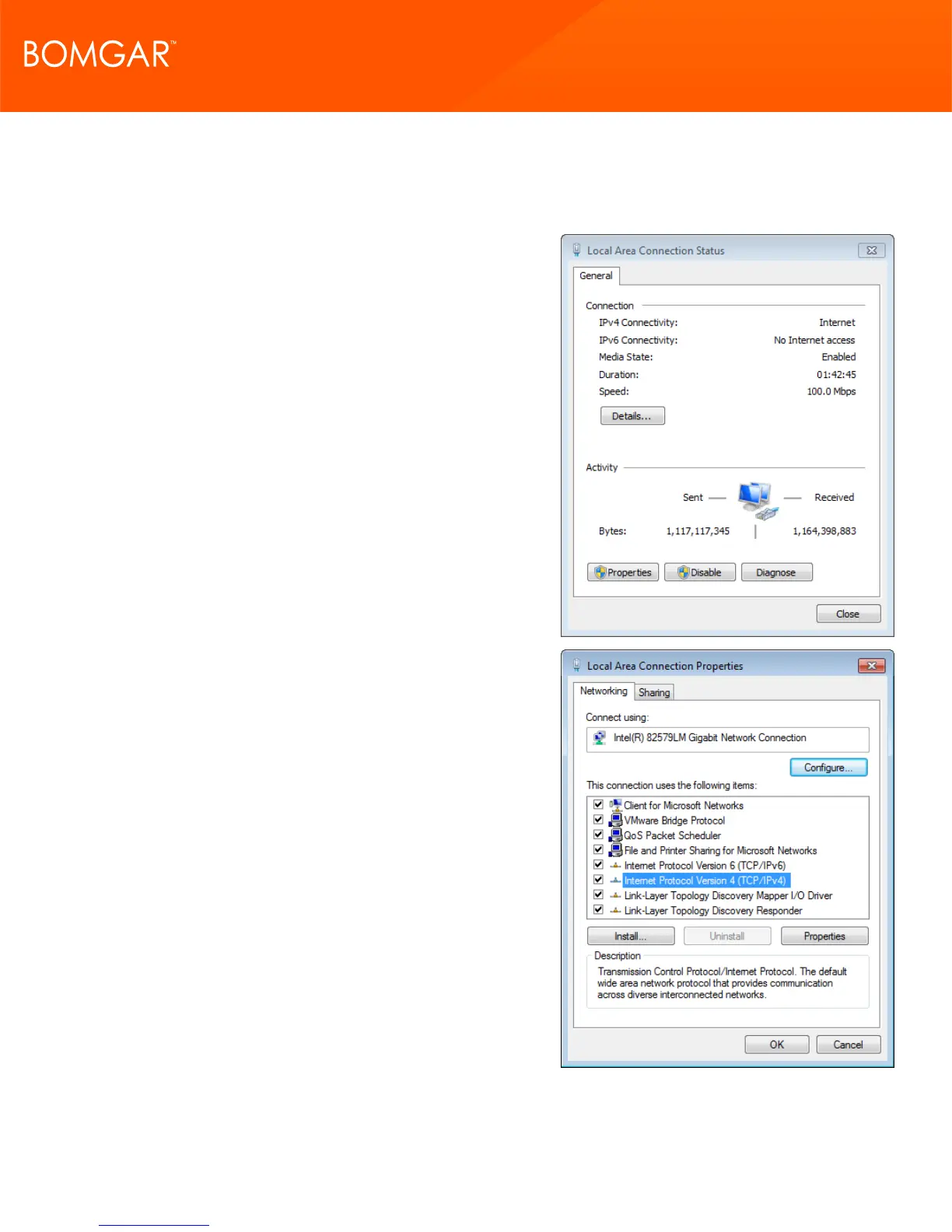
1. After performing the external setup of your Bomgar Appliance, go to
the Local Area Connection on your computer and click Properties.
2. Highlight Internet Protocol Version 4 (IPv4) and click the Properties
button.
CONTACT BOMGAR info@bomgar.com | 866.205.3650 (US) | +44 (0) 1628 480 210 (UK/EMEA) BOMGAR.COM 15
© 2017 Bomgar Corporation. All rights reserved worldwide. BOMGAR and the BOMGAR logo are trademarks of Bomgar Corporation; other trademarks shown are the property of their respective owners. TC: 1/11/2018
REMOTE SUPPORT APPLIANCE INSTALLATION



 To Next Page