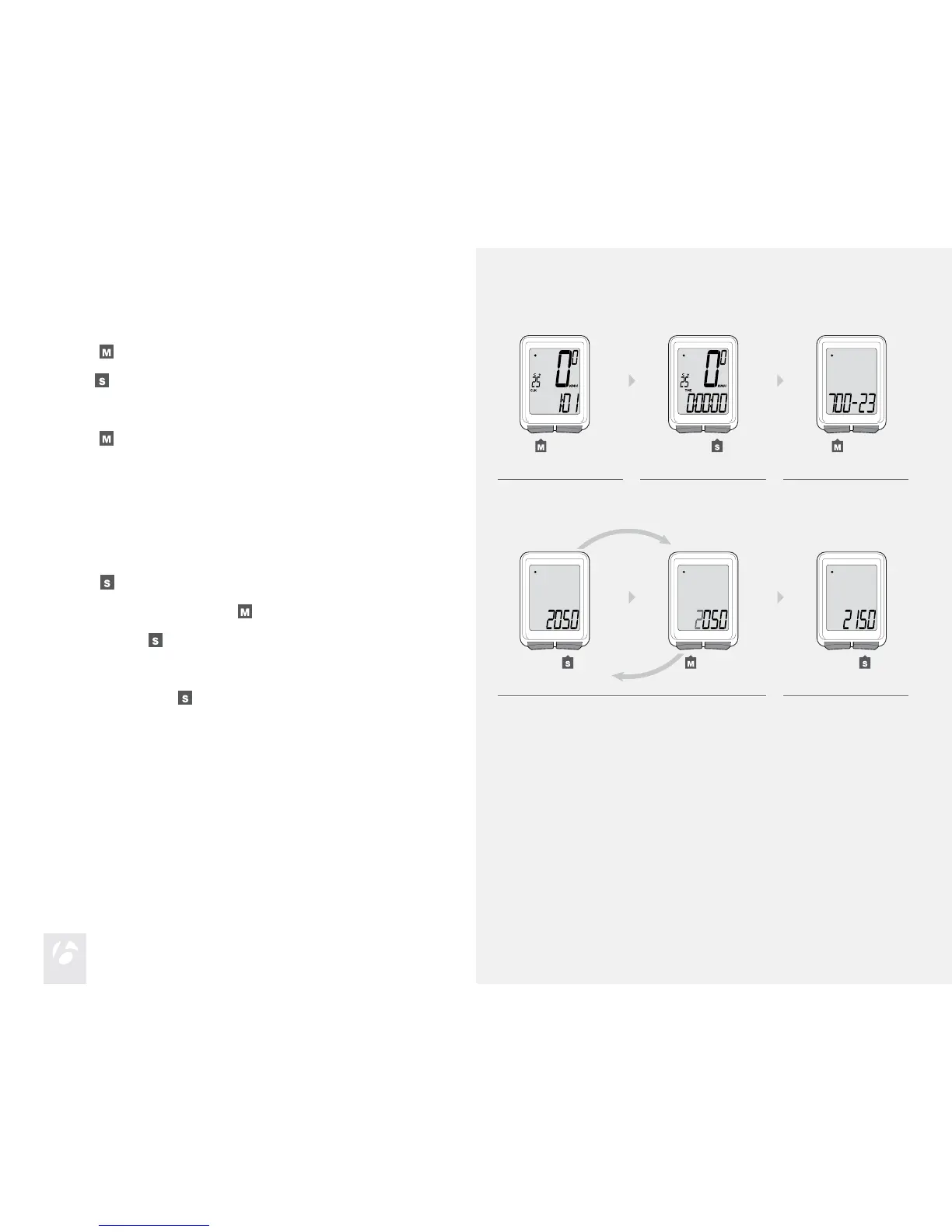
Scroll
to TME.
Hold
for two seconds until the wheel size appears.
To program the second wheel size, press Set to change the preferred
Wheel Selection icon to Wheel 1 or Wheel 2, and press M to select.
Scroll
to the four-digit number (example: 2050).
1.
2.
3.
1. 2. 3.
(for 2 seconds)
Press
.
To change the ashing digit, press
.
To select, press
.
Repeat step 4 for the other digits.
To save and exit, hold
for two seconds.
The Trip returns to the TME display.
4.
5.
4. 5.
(for 2 seconds)











 To Next Page