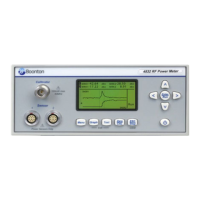
Boonton 4540 Series RF Power Meter
Getting Started
Table 3-3. Initialized Parameters
Parameter Applies to: Default
Graph/Text Mode Select Graph
Parameters Related to the Channel > Chan # > Menus
Channel CH1 On
CH2 Off
Vertical Scale
Log Power 10 dB/Div
Linear Power 1 mW/Div
Log Volts 10 dBV/Div
Linear Volts 200mV/Div
Vertical Center
Log Power -20.00 dBm
Linear Power 0.00 mW
Linear Volts 0.00 mV
dBV -33 dBV
dBmV 27 dBmV
dBµV 87 dBµV
Extensions (Menu)
Units dBm
Peak Hold (Pulse, Modulated) Off
Define Pulse
Distal 90%
Mesial 50%
Proximal 10%
Pulse Units Watts
Video Bandwidth /Bandwidth High
Averaging 8
Filter Auto
Extensions > Corrections (Menu)
dB Offset 0.00 dB
Freq CF (if no sensor, 0.00 dB)
Duty Cycle 100.00%
Alarms (Menu)
Enable Off
High Limit 20.0 dBm
Low Limit -20.0 dBm
Parameters Related to the Measure > Menu
Measurement Run
Measurement Mode Pulse
Parameters Related to the Trigger > Menu
Trigger Mode Auto Pk-Pk
Trigger Source Channel 1
Trigger Slope +
Holdoff 0.00 µs


 To Next Page