Programming and Diagnosis Software
Installing the Programming and Diagnosis
Software
After installing the MSA Box II you need to install the programming and diagnos‐
tic software RaceABS. You can find the software for free download on our web‐
site: www.bosch‐motorsport.com
Switch on the ignition
Plug the MSA Box's USB connector into your laptop and its motorsport connec‐
tor into the ABS M4 wire harness diagnostic interface to enable communication.
The installation creates a shortcut on your desktop to the RaceABS software.
Klick it to start the application. A green status indicator shows when the connec‐
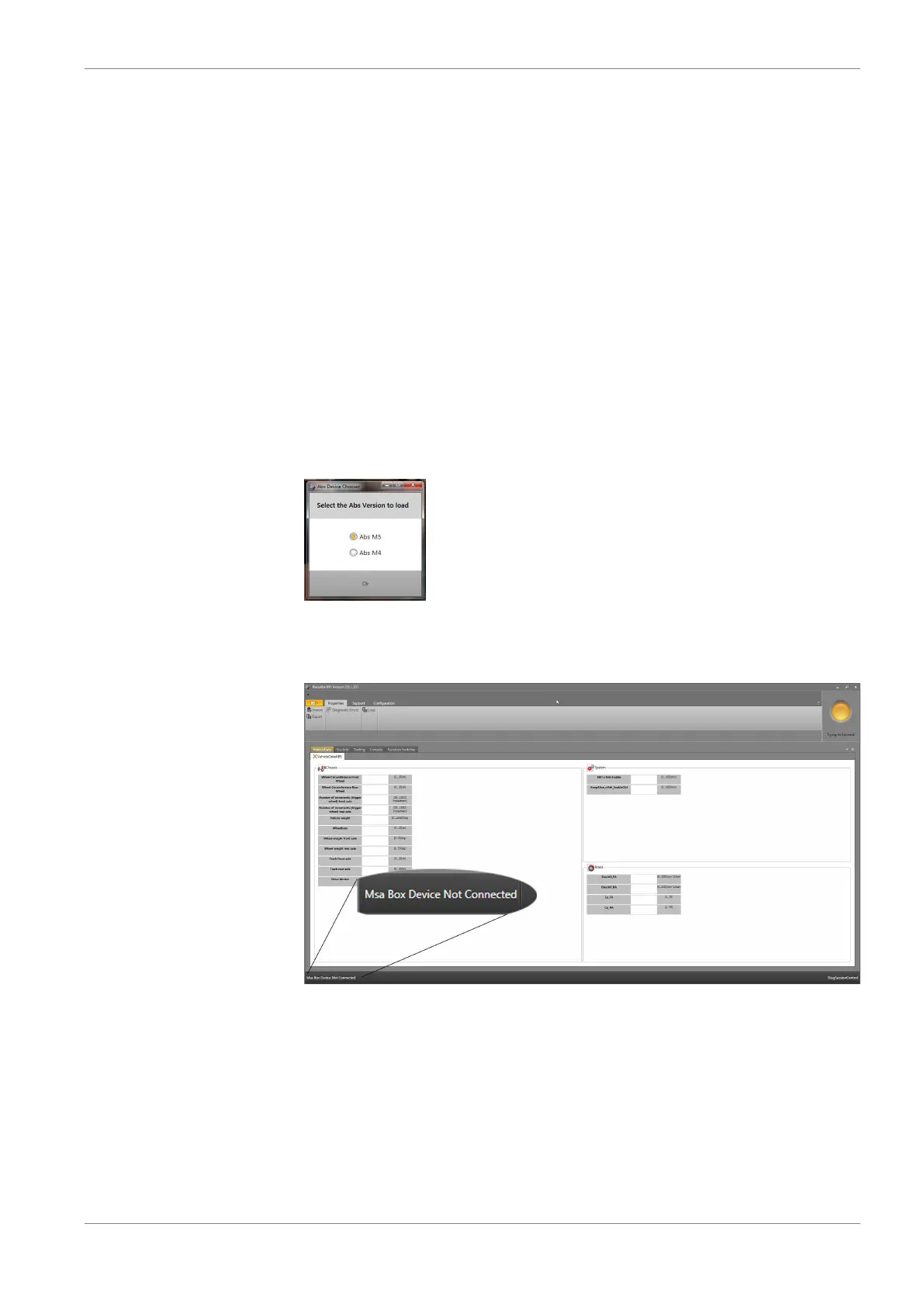
tion is successful. A window pops up where you can select your ABS system.
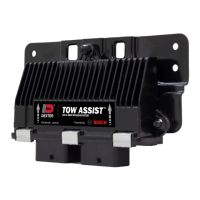
If you try to launch the software without the MSA Box II to laptop connection,
the status indicator in Explorer lights red and an error message appears in the
status bar:
The following problem message pops up when either the ABS‐ECU gets no pow‐
er supply (e.g. ignition OFF) or the MSA Box II is not connected to the wiring har‐
ness. Please make sure that the connection between the diagnosis software and
MSA Box II is assured:
9
9.1
Programming and Diagnosis Software | 9
Bosch Motorsport ABS M4 Manual 25 / 54


 To Next Page