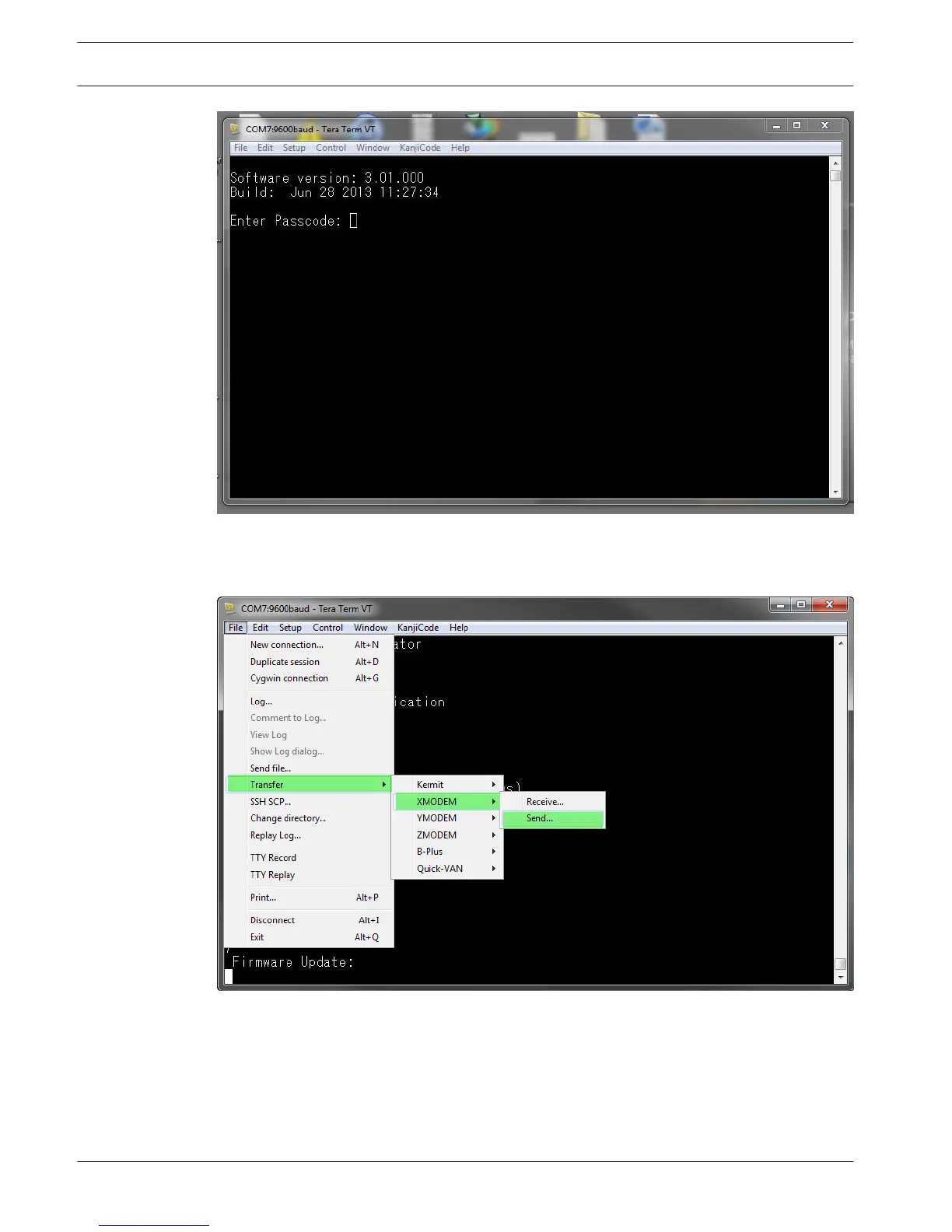
Figure 5.11: B450 USB login window
4. Select option 7 Firmware Update and press [Enter].
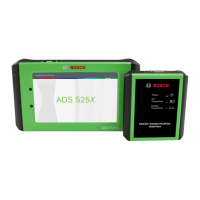
5. From the Tera Term main menu, select File>Transfer>XMODEM>Send.
Figure 5.12: Firmware update send window
6. In the XMODEM Send dialog window, navigate to the folder location and select the
firmware update software you downloaded. The file ends in *.kfw extension.
36
en | Configuration
Conettix Plug-in Communicator
Interface
2013.09 | 02 | F.01U.282.875 Installation and Operation Guide Bosch Security Systems, Inc.




 To Next Page