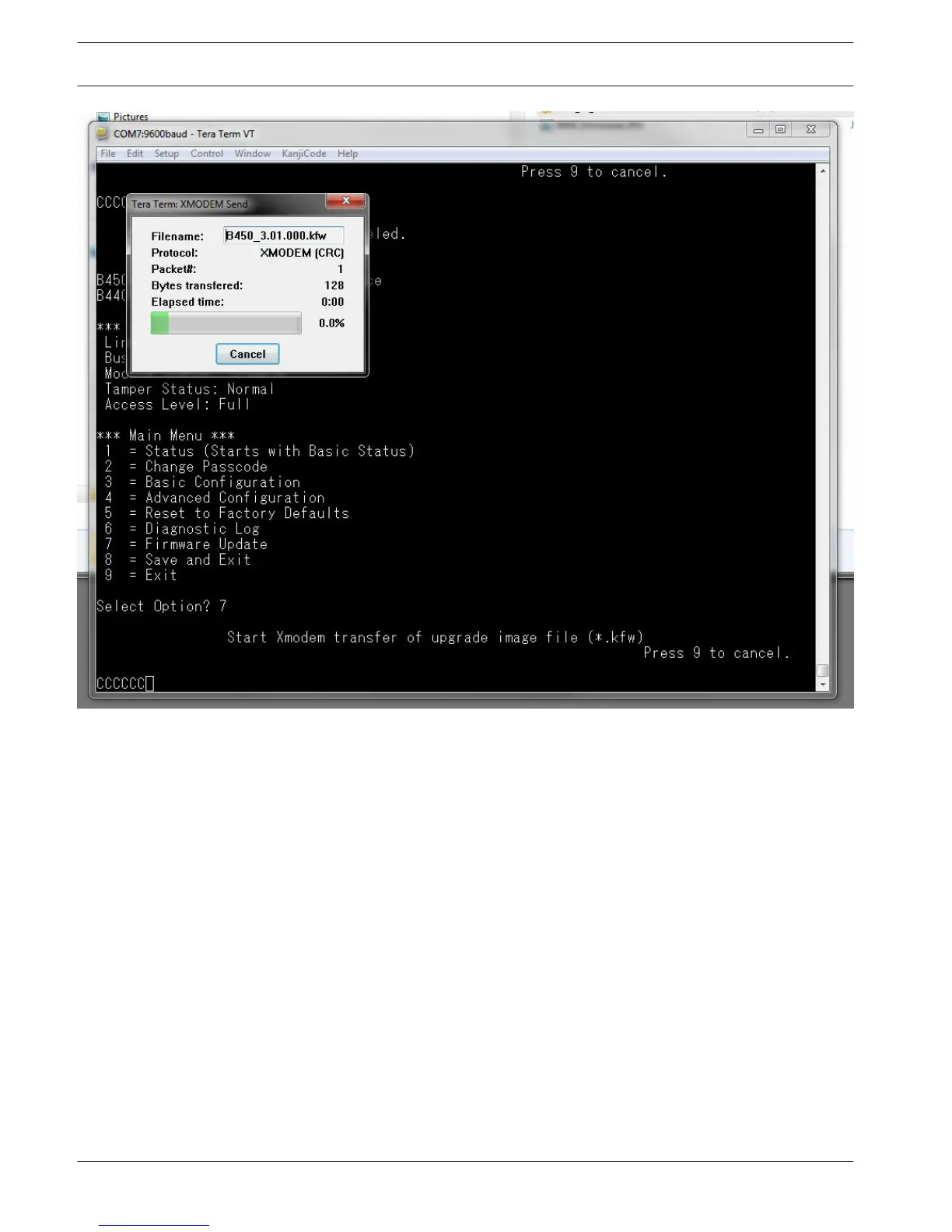
Figure 5.14: Tera Term XMODEM Send dialog box
8. When the file transfer completes, the Tera Term: XMODEM Send dialog box closes
automatically. Within the Tera Term window an updating to firmware version “x.xx.xxx”
message displays, and the B450 automatically reboots.
9. Close the Tera Term session, and re-launch Tera Term.
10. Log back into Tera Term as described previously to re-establish communication from your
laptop, to the B450.
Communication between the control panel and B450 is restored.
38 en | Configuration
Conettix Plug-in Communicator
Interface
2013.09 | 02 | F.01U.282.875 Installation and Operation Guide Bosch Security Systems, Inc.



 To Next Page